About


This is my collection of notes and supplementary material for various projects, including my (primarily) programming-related videos.
Update log 2026
May 5th, 2026
New post: A Regex Builder for Go
May 3rd, 2026
New post: Procedural Programming HOWTO
April 22nd, 2026
New blog post: Vibe Coding (Carefully)
April 15th, 2026
Currently in the works: Procedural Programming HOWTO
March 19th, 2026
Released: Intro to Zig - Code Examples (Ziglings)
March 9th, 2026
Released: Intro to Odin - Code Examples
Currently in the works: Intro to Zig - Code Examples (Ziglings)
March 4th, 2026
Recently released: Intro to Odin programming language
Currently in the works: Intro to Odin - Code Examples
February 17th, 2026
Going forward, I intend to use this markdown book as the central place for all of my projects, including any writing, links to project repos, plus links and notes for my Youtube videos.
I have a lot of new stuff in the works, which I’ll announce here on the “blog” page(s) as they’re ready.
Recently released: video and notes about Jujutsu version control
Currently in the works: some videos and notes about the Odin programming language (videos should be up by end of month)
Programming Fundamentals
- every programming language in 15 minutes
- survey of programming languages
- text and numbers
- data structures
- searching and sorting algorithms
- Hardware and Operating System Basics
- Unix system calls
- Unix terminals and shells
- Object-Oriented Programming concepts
- the Internet
- cryptography
- relational databases
- version control with Mercurial
Web Programming
- HTML and CSS
- server-side web programming
- Go web app starter guide and GopherJS (Go compiled to Javascript)
- text search with Lucene
Programming Languages
- intro to programming with Go
- the Go language (unlike the intro programming with Go series, this assumes prior programming knowledge)
- the Clojure language
- the C language
- the Javascript language
- the Java language
- the Python language
Odin Intro - Data Types and Polymorphism
This text is the supplementary notes for a series of videos that introduce data types and polymorphism in the Odin programming language:
Warning
The videos and this text assume no prior knowledge of Odin itself, but they assume the audience already has some familiarity with C (or other languages with pointers, such as C++, Rust, Zig, or Go). Also be clear that this text is intended to be read after having first watched the videos.
For more about Odin, see also:
- the Odin docs overview
- the Odin docs demo
- Understanding the Odin Programming Language by Karl Zylinski
Basic Number Types
Integers in Odin come in five different sizes with both signed and unsigned types:
i8 | signed | 8 bits |
i16 | signed | 16 bits |
i32 | signed | 32 bits |
i64 | signed | 64 bits |
i128 | signed | 128 bits |
u8 | unsigned | 8 bits |
u16 | unsigned | 16 bits |
u32 | unsigned | 32 bits |
u64 | unsigned | 64 bits |
u128 | unsigned | 128 bits |
There’s also the types int and uint, which are generally your default choices. Their sizes depend on the target platform you’re compiling for, e.g. when compiling for x64, an int or uint will be 64 bits.
There’s also the type called byte, which is actually just an alias for u8.
Floating-point numbers come in three sizes:
f16 | 8 bits |
f32 | 32 bits |
f64 | 64 bits |
Booleans
Booleans also come in multiple sizes:
b8 | 8 bits |
b16 | 16 bits |
b32 | 32 bits |
b64 | 32 bits |
While, in principle, representation of a boolean only requires a single bit, Odin has these multiple sizes mainly to allow easier interop with various binary formats and to allow you to better control padding and alignment in structs. Most of the time, however, you’ll simply default to using the type called bool. Like a b8, a bool is 8-bits in size (though the compiler considers b8 and bool to be distinct types).
Strings
The primary string type, called string, represents a UTF-8 encoded string, and the type called string16 represents a UTF-16 encoded string.
Concretely, a string or string16 value is actually a pointer to a buffer of characters and an integer representing the length of the text. So when you assign, pass, or return a string value, what’s actually being copied is just a pointer and integer, not the actual character data.
For ease of interop with C, Odin also has types cstring and cstring16. These cstring types have no integer to represent length because they instead use the C convention of signaling the end of the character data with a 0 byte.
Odin also has another integer type called rune that represents the unicode codepoint of an individual character.
Important
Because Odin is not a garbage collected language, you should keep in mind how the character buffers pointed to by strings are allocated. For a string literal, the character buffer is statically allocated, meaning the data resides alongside the code of the executable itself. For any string created at runtime, the character buffer must be allocated dynamically.
Zero values
Data types in Odin have a concept of a “zero value”, meaning the value of the type where every bit is 0. When a variable is left uninitialized, it defaults to the zero value.
Zero values by type:
| Type | Zero value |
|---|---|
| numbers | 0 |
| booleans | false |
| strings | empty string |
| pointers | nil |
| structs | all fields are all their zero values |
| enums | 0 (enums are represented in memory as integers) |
| unions | nil (unless the union type is declared with certain directives) |
Casts
Compared to C and some other languages, Odin is much stricter about explicit casting, disallowing most implicit conversions to help prevent absent-minded mistakes. For example, to assign an i32 value to an i64 variable, the cast cannot be left implicit.
Distinct types and aliases
The double colon syntax in Odin denotes a compile-time definition, either of a constant, a procedure, or type:
// defines Also_Int as an alias for int
Also_Int :: int

// defines My_Int as a type that is like int but
// considered separate by the compiler
My_Int :: distinct int
A distinct type by be explicit cast to and from its doppelganger:
// the explicit cast is required here because My_Int is distinct from int

// declare an int variable 'i' and assign it the value 3
i: int = 3

// declare a My_Int variable 'j' and assign it the value of i
j: My_Int = My_Int(i)
Literals
Literals in Odin have their own distinct types, which a bit confusingly are called the “untyped” types. Integer literals are untyped integers, floating-point literals are untyped floats, boolean literals are untyped booleans, and string literals are untyped strings. These special untyped types have a few special rules:
- They only exist at compile time, so you can’t, say, create a variable with one of these untyped types.
- These types can be implicitly cast to their related types.
- Casts of a literal perform range checks.
Some example casts:
x: f32 = 14          // untyped int implicitly cast to f32
y: u8 = 9            // untyped int implicitly cast to u8
y = 1000             // compile error! 1000 is not in the range of a u8

a: bool = false        // untyped boolean implicitly cast to bool
b: b16 = true          // untyped boolean implicitly cast to b16
c: b64 = true          // untyped boolean implicitly cast to b64

s: string = "hello"        // untyped string implicitly cast to string
s16: string16 = "hello"    // untyped string implicitly cast to string16
cs: cstring = "hello"      // untyped string implicitly cast to cstring
When a variable’s declared type is inferred from a literal:
i := 3         // inferred to be int
f := 3.5       // inferred to be f64
b := true      // inferred to be bool
s := "hi"      // inferred to be string
Pointers
A pointer is a value that represents a memory address. To dereference a pointer is to access the value at the memory address represented by the pointer.
A pointer value is typed as a specific kind of pointer, e.g. an int pointer is intended to represent the memory addresses of only ints, or a string pointer is intended to represent the memory addresses of only strings, etc. Thanks to pointers being typed and Odin’s static typing, the compiler can know the type of value at the address represented by the pointer. For example, dereferencing an int pointer accesses an int value rather than some kind of other value.
The ^ operator on the right side of a pointer expression dereferences the pointer. The & (reference) operator on the left side of a storage location expression (e.g. a variable) returns its address:
p: ^int        // declare a variable 'p' which is an int pointer
i: int = 7
p = &i         // assign the address of i to p

x: int
x = p^         // assign 7 (the dereference of p) to x
p^ = 3         // assign 3 to the dereference of p (a.k.a. the address stored in p)
Note
Odin uses the
^symbol instead of C’s traditional*. Also unlike C, Odin puts the dereference operator on the right. Placing it on the right works out nicely when pointers are used in combination with arrays.
rawptr
A rawptr is Odin’s closest analog of a C void pointer. Unlike other pointers, a rawptr can represent the address of any kind of value.
Other pointer types can be implicitly cast to rawptr, but a cast from rawptr to other pointer types must be explicit.
uintptr
Like a rawptr, a uintptr is a pointer that can represent the address of any kind of value, but unlike a rawptr, a uintptr can be used as an unsigned integer in arithmetic operations.
Note
Unlike C or other C-like languages, Odin doesn’t let us do arithmetic directly on pointers, but instead we can convert a pointer into a uintptr, perform the arithmetic, and then cast back to a pointer. More commonly, though, a multi-pointer is used instead.
multi-pointers
What Odin somewhat oddly calls multi-pointers are pointers that can be indexed like an array to do pointer arithmetic. (Compared to a uintptr, a multi-pointer is a bit more convenient and less error prone.)
m: [^]int      // a multi-pointer to int
i: int
m = &i         // implicit cast from ^int to [^]int

m[3] = 100     // unsafe! store int 100 at address of m + size_of(int) * 3
i = m[-5]      // unsafe! assing to i the int read from the address of m - size_of(int) * 5
Warning
Always keep in mind that arbitrarily indexing memory is fundamentally unsafe, as in this example where we are jumping to meaningless locations on the call stack. In real use cases, multi-pointers should generally only be used to access addresses within known allocated blocks of memory.
Arrays
Arrays in Odin are fixed-size, homogenous, and either stack-allocated or globally allocated.
// decare variable 'arr' to be an array of 5 ints
arr: [5]int

// assign to arr a literal of 5 ints
arr = [5]int{1, 2, 3, 4, 5}

// shorthand for prior (the size and type inferred is from the target)
arr = {1, 2, 3, 4, 5}
// declare a variable 'nums' to be an array of 3 ints
// (the size is inferred from the number of values)
nums := [?]int{11, 22, 33}
arr: [100]string  // an array of 100 strings

// an array literal with explicit indexes (can be partial and out of order)
arr = {
    4 = "apple",
    1 = "banana""
    3 = "orange",
}

// same effect as above
arr[4] = "apple"
arr[1] = "banana"
arr[3] = "orange"
arr: [100]string  // an array of 100 strings

// indexes in an array can be ranges
arr = {
    4 = "apple",
    10..=12 = "banana",   // 10 through 12 (inclusive)
    80..<82 = "orange",   // 30 through 30 (non-inclusive)
}

// same effect as above
arr[4] = "apple"
arr[10] = "banana"
arr[11] = "banana"
arr[12] = "banana"
arr[80] = "orange"
arr[81] = "orange"
Whereas an array variable in C is actually a constant pointer value, this is not the case in Odin. An Odin array is a proper value unto itself, and so arrays are assigned, passed, compared, and returned by value, not by reference. When we assign one array variable to another, the entire array is copied, and if we compare two arrays for equality, all of their corresponding indexes are compared for equality.
When you do want to assign, pass, or return arrays by reference, you can do so with array pointers or with slices, which we’ll cover in a moment.
By default, array indexing in Odin is bounds checked both at compile time and runtime:
arr: [5]bool

arr[100] = true          // compile time bounds check error

i := 100
arr[i] = true            // runtime bounds check panic
When we try to assign to index 100 of this 5 bool array, the compiler gives us a compilation error because it knows the compile time value 100 is out of bounds for this array. If though we index an array with a runtime expression, the bounds check happens at runtime, so indexing this array with a variable whose value will be 100 will trigger a panic.
These runtime bounds checks of course incur some degree of overhead, so in some performance-critical contexts you may wish to disable them with the #no_bounds_check directive:
arr: [5]bool

// no bounds checks will be performed in this block
#no_bounds_check {
    i := 100
    arr[i] = bool        // no panic but unsafe at runtime
}
Slices
A slice in Odin is a value that represents a subrange of an array (or alternatively, an array-like buffer that stores contiguous, homogeneous values). Concretely, a slice contains a pointer to the start of the subrange plus an integer for the length of the subrange.
Warning
For Go programmers, it’s important to note that, unlike Go slices, Odin slices do not contain a capacity, and there is no append operation for slices. Odin’s closest equivalent of a Go slice is called a dynamic array.
// declare 's' to be a slice of ints
s: []int

arr: [100]int
// from the array, get a slice starting at index 30 and ending at index 40
s = arr[30:40]

// length of the slice is 10
assert(10 == len(s))

// because index 0 of this slice is the same as index 30 of the array,
// these two assignments assign to the same location in memory
s[0] = -99
arr[30] = -99
As a convenience, the first integer of a slice operation can be omitted, in which case it defaults to 0, and the second integer can also be omitted, in which case it defaults to the length of the array.
Allocations
Because Odin is not a garbage collected language, the programmer is responsible for allocating and deallocating any heap memory they want to use.
For example, if we want to create a slice whose referenced data resides on the heap, we can call the make_slice procedure (from the base library), which returns a slice that references newly allocated heap memory. When we’re done with a heap-allocated slice, we should call delete_slice (from the base library) to deallocate the slice’s heap memory:
s: []int

// returns a slice with newly allocated buffer of 10 ints
s = make_slice([]int, 10)

// deallocates the allocated buffer referenced by the slice
delete_slice(s)
Note
The Odin base library also has procedures
makeanddelete. These proc group procedures are the generally preferred shorthand for invoking all variants of themake_x/delete_xprocedures.
Whereas before we were creating slices that referenced the memory of stack-allocated arrays, here the slice references heap allocated memory with no array involved. (And be clear that the slice variable itself is still stack allocated.)
The make_slice procedure, the delete_slice procedure, and all other allocating or deallcating procedures let you pass an allocator. Different allocators can track their allocations in different ways, and some allocators may perform better than others in different use cases.
When no allocator is explicitly passed to these procedures, they implicitly use the allocator provided by the context. The code below is functionally the same as the code above:
s: []int

// explicitly pass the context allocator
s = make_slice([]int, 10, context.allocator)

// explicitly pass the context allocator
delete_slice(s, context.allocator)
See more about the context and allocations in Odin.
Dynamic Arrays
Whereas a normal Odin array is fixed in size, a dynamic array has no fixed size and so can grow and shrink. Concretely, a dynamic array value resembles a slice in that it consists of a pointer and a length, but in addition, a dynamic array also has an integer representing its capacity and a reference to an allocator:
// the reserved word 'dynamic' makes this a dynamic array
arr: [dynamic]int

// returns a dynamic array with a newly allocated buffer of 7 ints,
// a logical length of 4, and a reference to the context allocator
arr = make_dynamic_array_len_cap([dynamic]int, 4, 7)

assert(4 == len(arr))
assert(7 == cap(arr))
assert(context.allocator == arr.allocator)

delete_dynamic_array(arr)       // deallocate from the referenced allocator
Note
Whereas slices often reference subranges of stack-allocated arrays, that is not an intended use case for dynamic arrays. Instead, the data referenced by a dynamic array is normally heap-allocated via base library procedures.
By virtue of storing a capacity integer and allocator reference, a dynamic array allows us to append values with the apppend_elems procedure:
arr: [dynamic]int

arr = make_dynamic_array_len_cap([dynamic]int, 4, 7)

// this append stays within the existing capacity
append_elems(&arr, 100, 101, 102)
assert(7 == len(arr))
assert(7 == cap(arr))

// this append exceeds the capacity, so:
// 1. a new, larger buffer is allocated
// 2. the existing values are copied into this new buffer
// 3. the new elements are added to the new buffer
// 4. the original buffer is deallocated
append_elems(&arr, 123, 456)
assert(9 == len(arr))
assert(9 <= cap(arr))
Note
The Odin base library also has an
appendproc group procedure, which is generally preferred shorthand for invoking all variants of theappend_xprocedures.
Maps
Maps are hashmaps of key-value pairs. Concretely, a map value consists of a pointer to a block of memory where the key-value pairs reside, an integer indicating the number of key-value pairs, and a reference to an allocator.
Before using a map, we must allocate it. Any time new keys are added to the map, the map’s memory may be reallocated. Like all allocated things, we generally should eventually deallocate it when we no longer need it.
// declare a variable 'm' which is a map of string keys and int values
m: map[string]int

m = make_map(map[string]int)    // allocate memory for the map

m["hi"] = 5                     // adds new key "hi" with value 5 (may reallocate)
assert(1 == len(m))

m["hi"] = 7                     // sets value of the existing key

delete_key(&m, "hi")            // removes the existing key and its value
assert(0 == len(m))

delete_map(m)                   // deallocate the map when it's no longer needed
Structs
Like in C and other C-like languages, a struct in Odin is a composite data type that consists of named members called fields.
// define a type named 'Cat' which is a struct consisting of two fields
Cat :: struct {
    a: int,   // field 'a' is an int
    b: f32,   // field 'b' is an f32
}

cat: Cat        // declare a variable 'cat' of type Cat
cat.a = 5       // assign to the 'a' field of 'cat'
cat.b = 3.6     // assign to the 'b' field of 'cat'

// assign a Cat literal (where 'b' is 3.6 and 'a' is 5) to 'cat'
cat = Cat{b = 3.6, a = 5}

// omitted fields default to zero values (so 'a' is 0 and 'b' is 0)
cat = Cat{}

// the literal type can be inferred from the assignment context
cat = {a = 5, b = 3.6}
Anonymous structs
Rather than give every struct type a name, it’s sometimes more convenient to use anonymous struct types:
// declare variable 'anon' with anonymous struct type having two fields
anon: struct {a: int, b: f32}

// assign an anonymous struct literal to 'anon'
anon = {a = 5, b = 3.6}

Cat :: struct {
    a: int,
    b: f32,
}

cat: Cat

// cast an anonymous struct value to Cat
// (valid because they have the same set of field names and types)
cat = Cat(anon)

// cast a cat value to the anonymous struct
anon = struct{a: int, b: f32}(cat)
Anonymous structs are particularly convenient for fields in other structs. Here this Dog struct has a field named nested that is itself an anonymous struct, and we can then read and write the fields of the nested struct individually or as a complete struct.
Dog :: struct {
    x: string,
    nested: struct {a: int, b: f32},     // anonymous struct field
}

dod: Dog

// we can assign to individual fields of an anonymous struct member...
dod.nested.a = 3

// ... or we can assign a whole anonymouse struct value
dod.nested = struct {a = 5, b = 3.6}
The semantics would be exactly the same if we defined a named struct type to use for the field, but the inner anonymous struct effectively allows us to logically group fields in the outer struct with less hassle.
Enums
An enum in Odin is an integer type with discretely named compile time values.
// declare an enum type 'Direction' with four named u32 values
Direction :: enum u32 {
    North = 0,
    East = 1,
    South = 2,
    West = 3,
}

// declare a variable 'd' of type Direction
d: Direction
d = Direction.South    // assign .South (2) to 'd'
assert(2 == u32(d))
If an enum’s integer type is left unspecified, it defaults to int.
If we omit the value for the first named value, it defaults to 0, and then any subsequent omitted value will default to 1 greater than the prior value.
Direction :: enum {    // defaults to int
    North,             // first value defaults to 0
    East = 1337,
    South,             // defaults to 1338 (prior value plus 1)
    West = -100,
}
Effectively, if we omit all the values, they will run from 0 up through 1 less than the count of named values.
Direction :: enum {    // defaults to int
    North,             // 0
    East,              // 1
    South,             // 2
    West,              // 3
}
In a context where an enum value is expected, such as in an assignment to an enum variable, we can omit the name of the enum type before the dot as shorthand:
d: Direction
d = .South            // Direction.South
Normally we only want to use the named values of an enum, but we can actually cast any integer value into an enum type.:
d: Direction
d = Direction(9)       // OK, even though there is no named Direction value for 9
We can even do arithmetic with enum values (though there aren’t many cases where this is useful):
d: Direction
d = Direction.West + Direction.East    // 1 + 3 is Direction(4)
In a for loop, we can loop over every named value of enum type in the order they listed in the enum definition:
// loop over all named values of an enum type, printing:
// North 0
// East 1
// South 2
// West 3
for d, index in Direction {
    fmt.println(d, index)
}
We can also switch on enum values, such as here where this switch will execute the case corresponding to the value of this Direction variable. Note that we can use shorthand for the enum values in each case:
d: Direction

// ...assign a value to d

switch d {
case .East:
    // d is .East
case .North:
    // d is .North
case .South:
    // d is .South
case .West:
    // d is .West
}
By default, Odin strictly demands that an enum switch have a separate case for every named value, so here when we omit cases for North and West, we’ll get a compilation error. However, if we add the #partial directive to our switch, Odin will allow us to omit cases, and we can also then have a default case:
d: Direction

// ...assign value to d

// #partial required here because we do not
// have a case for every named value
#partial switch d {
case .East:
    // d is .East
case .South:
    // d is .South
case:
    // the default case (allowed by #partial)
    // d is either .North or .West
}
To get an enum value name as a string, we can call a procedure from the reflect package. The procedure enum_name_from_value returns the name of an enum value as a string. The procedure also returns a boolean that will be false if the enum value has no name:
d: Direction = .South

if name, ok := reflect.enum_name_from_value(d); ok {
    fmt.println(name)   // prints "South"
}
Using procedure enum_from_name from the reflect package allows us to go the other way: we can get an enum value from a string matching the value’s name.
// if the string doesn’t match a named value of the
// specified enum type, the returned boolean will be false.
if d, ok := reflect.enum_from_name(Direction, "South"); ok {
    fmt.println(int(d), d)     // prints "2 South"
}
Enumerated arrays
An enumerated array is a readonly array with values fixed at compile time and which is indexed not by number but by the named values of an enum type:
Direction :: enum { North, East, South, West }

// Declare 'direcitons_spanish' as an enumerated array of four strings.
// The four indices correspond to the named values of the Direction enum.
directions_spanish :: [Direction]string {
    .North = "Norte",
    .East = "Este",
    .South = "Sur",
    .West = "Oeste",
}

str: string
str = directions_spanish[.North]   // "Norte"
Unions
A union is a data type defined as a set of “variant” types:
- A union value can contain a single value of any of its variant types.
- The size of a union value is large enough to store the union type’s largest variant.
- By default, a union value also stores a “tag”, an integer that indicates the variant stored in the value.
Cat :: struct {}
Dog :: struct {}
Bird :: struct {}

// declare a 'Pet' as a union of Cat, Dog, and Bird
Pet :: union { Cat, Dog, Bird }

// assume that Cat is denoted by tag 1,
// Dog by tag 2, and Bird by tag 3

pet: Pet

// variants of Pet can be implicitly cast to Pet

// assign 'pet' a Pet value containing the zero Cat value and tag 1
pet = Cat{}

// assign 'pet' a Pet value containing the zero Dog value and tag 2
pet = Dog{}
Note
In our example, the variant types of the union are all structs, but other kinds of types can also be variants in a union: numbers, strings, pointers, enums, etc. Even unions themselves can be variants of other unions.
While variants of a union can be implicitly cast to the union type, we cannot cast the other way around, even explicitly. Instead, to get the variant value held in a union value, we must use a type assertion:
pet: Pet
dog: Dog

// implicit cast from Dog to Pet
pet = dog

// this type assertion gets the Dog from the union value
dog = pet.(Dog)

bird: Bird

// this type assertion panics because the union
// value does not hold a Bird
bird = pet.(Bird)

ok: bool
// returns the Bird zero value and false because
// the union value does not hold a Bird
bird, ok = pet.(Bird)

// returns the held Dog value and true
dog, ok = pet.(Dog)
By default, a union’s zero value is nil, which has tag 0.
// an uninitialized union variable has value nil
pet: Pet
assert(pet == nil)
When we want to handle multiple variants stored in a union value, it’s generally more convenient to use a type switch:
pet: Pet

// ... assign a value to pet

// this type switch stores the variant value from 'pet' in new variable 'p',
// whose type differs in each case
switch p in pet {
case Cat:
    // p is a Cat
case Dog:
    // p is a Dog
case Bird:
    // p is a Bird
}
The #partial directive allows a type switch to omit variants of the union and optionally include a default case:
pet: Pet

// ... assign a value to pet

#partial switch val in pet {
case Cat:
    // p is a Cat
case:
    // the default case (covers Dog, Bird, and nil)
    // p is a Pet
}
Error values
Unlike many other languages, Odin has no exception mechanism. It does, though, have runtime “panics”, which are triggered by some operations, such as failing bounds checks. Panics will unwind the call stack, but there is no way in the language to catch and recover from these panics except to do some logging and cleanup before the program terminates.
[!WARNING] Panics are not a mechanism for normal error handling! An error represents a non-ideal eventuality beyond your programs’s control. A panic represents a bug in your code.
Normal errors in Odin are represented as ordinary data values, and these errors should follow three strong conventions:
- Error values are always represented either as boolean, enum, or union types.
- Procedures which return multiple values should return the error (if any) as the last return type.
- The zero-value of an error indicates success (i.e. the absence of an error). A non-zero value indicates some kind of error occurred.
Example of a boolean error
import "base:strconv"

num, err := strconv.parse_f64("-52.97")
if ok {
    // could not parse string as an f64
}
Example of an enum error
A number of library procedures that perform allocations use this Allocator_Error enum to signal allocation errors. Because allocations may fail in multiple ways, it’s useful to convey that information with an enum instead of just using a boolean to signal that some error has occurred:
// declared in package base:runtime
Allocator_Error :: enum u8 {
    None                 = 0,
    Out_Of_Memory        = 1,
    Invalid_Pointer      = 2,
    Invalid_Argument     = 3,
    Mode_Not_Implemented = 4,
}
Typically the enum error value returned by a procedure should be handled by a switch:
import "core:mem"

data, err := mem.alloc(100)
switch err {
case .None:
    // ...  (.None indicates no error occurred)
case .Out_Of_Memory:
    // ...
case .Invalid_Pointer:
    // ...
case .Invalid_Argument:
    // ...
case .Mode_Not_Implemented:
    // ...
}
Important
Note that we don’t use a #partial switch here, so the compiler forces us to cover every named value of the enum. It’s unwise to ignore errors, so it’s generally best to avoid #partial switches when processing enum and union error values.
Example of a union error
While enum errors provide more information than a simple boolean, we sometimes want an error value with other kinds of information, such as string messages, and this is where union errors become useful. The variant types of a union can be anything, such as strings, structs, other unions, or whatever, so a union error can hold any information we need it to:
// declared in package core:os
Error :: union #shared_nil {
    os.General_Error,
    io.Error,
    runtime.Allocator_Error,
    os.Platform_Error,
}
Typically the union error value returned by a procedure should be handled by a type switch:
import "core:os"
import "core:io"
import "base:runtime"

file, err := os.open("path/to/file")
switch e in err {
case os.General_Error:
    // ...
case io.Error:
    // ...
case runtime.Allocator_Error:
    // ...
case os.Platform_Error:
    // ...
}
or_return
Very commonly with error values, we want to immediately return the error if it is non-zero. Here we’re getting the error returned from the procedure then immediately returning it if it is non-zero:
num, okr := strconv.parse_f64("-52.97")
if !ok {
    return ok     // return the error
}
This pattern is so common that Odin provides the or_return operator as shorthand for the same logic:
// same effect as prior example
num := strconv.parse_f64("-52.97") or_return
In a single-return procedure, the left operand of an or_return must match the procedure’s return type.
In a multi-return procedure, the return values must be named and the error type must be last:
foo :: proc() -> (x: int, y: string, err: bool) {
    x = 3
    y = "hi"
    err = false

    // if bar returns true, this returns 3, "hi", and true
    bar() or_return
    // ...
}
or_break
The or_break operator is basically like or_return except it performs a break rather than a return:
num, ok := strconv.parse_f64("-52.97")
if !ok {
    break
}
// same effect as above
num := strconv.parse_f64("-52.97") or_break
or_continue
The or_continue operator is like or_break except it performs a continue rather than a break:
num, ok := strconv.parse_f64("-52.97")
if !ok {
    continue
}
// same effect as above
num := strconv.parse_f64("-52.97") or_continue
or_else
Lastly there is or_else, which unlike the other operators, takes a second operand on its right. The right operand is only evaluated if the left operand returns a non-zero error, and then the or_else expression evaluates into the right operand value instead of the left operand. In effect, an or_else lets us conveniently substitute a default value in the event of an error:
num, ok := strconv.parse_f64("-52.97")
if !ok {
    result = 123
}
// same effect as above
num := strconv.parse_f64("-52.97") or_else 123
What is polymorphism?
Wikipedia defines polymorphism succinctly:
“…polymorphism allows a value type to assume different types.”
Where otherwise a single thing could only be one concrete type or behave in one way, polymorphism allows a thing to potentially vary in type and behave in different ways.
Another way to think of it: mechanisms of polymorphism allow us to express that a piece of code has variants that are similar but somehow different. In this sense, mechanisms of polymorphism enable abstraction building beyond what just plain procedures and plain data types allow, i.e. polymorphism gives us additional ways to generalize.
Now, how much one should attempt to abstract is a very debatable question, but polymorphism is useful to have in your toolset. In particular, we very commonly need the ability to store heterogenous data in a collection and then also need the ability to operate upon these heterogenous elements when iterating the collection. In C#, for example, we can create an array of Pets that may store any kind of Pet, whether a Cat or Dog, and then we can iterate through the collection and perform a common operation on every Pet regardless of its concrete type:
// C#
Pet[] pets = new Pet[2];
pets[0] = new Cat();
pets[1] = new Dog();

foreach (var p in pets) {
    p.sleep();    // dynamic dispatch
}
This is enabled either by virtue of Cat and Dog inheriting from class Pet or by Cat and Dog implementing an interface Pet. Odin, however, lacks inheritance, interfaces, and other common polymorphism-related language features. So we’ll look at how this and similar problems can be solved in Odin by other means.
Compile time polymorphism
It’s helpful to distinguish between compile time polymorphism and runtime polymorphism, not just because their implementations differ but but also because they serve quite different purposes. Compile time polymorphism serves two purposes:
- deduplicating code
- overloading names
In Odin, compile time polymorphism is enabled through a few features:
- procedure groups
- parametric polymorphic procedures
- parametric polymorphic structs
- parametric polymorphic unions
- the
usingmodifier for struct fields
Procedure groups
Procedure groups, very simply, are procedures that are defined not as a body of code but rather as a list of other procedures. At compile time, a call to a procedure group dispatches to the procedure in its list that matches the number and types of arguments in the call.
sleep_cat :: proc(cat: Cat) { /* ... */ }
sleep_dog :: proc(dog: Dog) { /* ... */ }

// a proc group 'sleep`
sleep :: proc { sleep_cat, sleep_dog }

sleep(Cat{})       // one Cat argument, so invokes sleep_cat
sleep(Dog{})       // one Dog argument, so invokes sleep_dog
Proc groups give us the stylistic and organizational convenience of overloading a procedure name so that we can use a single name at the call sites. Unlike overloading in other languages, however, we still have to give the individual overloads their own names.
Parametric polymorphic procedures (generic functions)
Parametric polymorphic procedures are Odin’s semi-equivalent of generic functions in other languages. A procedure is parameteric polymorphic if it has any parameters whose arguments and/or types are fixed for each call at compile time.
Parameters that require compile time arguments
A parameter which requires a compile time expression argument is denoted by a $ prefix on the parameter name:
foo :: proc($x: int) { /* ... */ }

foo(3)        // valid because 3 is a compile time expression

i := 3
foo(i)        // compile error: argument is not a compile time expression
One way a compile time argument can be useful is to specify array sizes:
// the argument for 'n' must be compile time expression,
// but this allows us to use 'n' as an array size
make_array :: proc($n: uint) -> [n]f32 {
    arr: [n]f32
    return arr
}

arr_A := make_array(3)   // returns an array of 3 float 32s
arr_B := make_array(7)   // returns an array of 7 float 32s
A compile time argument can also allow some expressions to be evaluated at compile time:
mul :: proc($val: f32) -> f32 {
    return val * val;     // val * val is evaluated at compile time
}
To get a similar effect as what other languages call a type parameter, we can use typeid parameters that require compile time arguments:
Note
Every unique type in your program is given a unique integer id called a
typeid. Type names themselves are compile timetypeidexpressions, and the builtin proceduretypeid_ofreturns thetypeidof its single argument’s type, e.g.typeid_of(Cat{})returns thetypeidof Cat.
// (slightly simplified version of runtime.new)
// 'T' is a compile time typeid expression, so it can be used like a type name
// Effectively, this one procedure can return any kind of pointer.
my_new :: proc($T: typeid) -> (^T, runtime.Allocator_Error) {
   return runtime.new_aligned(T, align_of(T))
}

int_ptr: ^int
int_ptr, _ := my_new(int)

bool_ptr: ^bool
bool_ptr, _ := my_new(bool)
Note
For a parameteric polymorphic procedure, separate versions of procedure are compiled for each unique call signature. For instance, in the above example, the two calls to
my_newactually invoke different code: one for which T is an int and one for which T is a bool.
Parameters with caller-determined types
When a parameter’s type is prefixed with a dollar sign, that indicates that the parameter’s type is determined at compile time by the type of the argument from the caller:
// the arguments to 'val' can be a runtime expression of any type,
// and T can be used as a type name
repeat_five :: proc(val: $T) -> [5]T {
    arr: [5]T
    for _, i in arr {
        arr[i] = val
    }
    return arr
}

bool_arr: [5]bool
bool_arr = repeat_five(true)
assert(bool_arr == [5]{true, true, true, true, true})

str_arr: [5]string
str_arr = repeat_five("hi")
assert(str_arr == [5]{"hi", "hi", "hi", "hi", "hi"})
Note
Again, separate versions of a procedure are compiled for each unique call signature, so in the above example, the two calls to
repeat_fiveinvoke different code: one for which T is a bool and one for which T is a string.
Warning
Don’t be confused that we used “T” as the name for the
typeidparameter name earlier but here now use “T” as the name for the parameter type itself. In the former case, the type “T” is determined by thetypeidvalue passed as argument; in the latter case, the type “T” is determined by the type of the passed argument.
A caller-determined parameter type can be used as the type of subsequent parameters in the parameter list:
// in each call, 'min' and 'max' will have the same type as 'val'
// ($ should only prefix the first T parameter)
clamp :: proc(val: $T, min: T, max: T) -> T {
    // for the procedure to compile,
    // T must be valid operands of <= and =>
    if val <= min {
        return min
    }
    if val >= max {
        return max
    }
    return val
}

clamped_int := clamp(int(8), 2, 5)               // T is int
clamped_float := clamp(f32(8.3), 2, 5)           // T is f32

// compile error: T cannot be a boolean
clamped_bool := clamp(true, false, false)
Parameters with both compile time arguments and caller-determined types
An individual parameter can both require a compile time argument and get its type from the caller’s argument:
// the array size is determined by the value passed to 'n',
// and the type of the array is determined by the type passed for 'n'
array_n :: proc($n: $T) -> ^[n]T {
    return runtime.new([n]T)
}

arr_A: ^[3]int
arr_A = array_n(3)

arr_B: ^[5]u8
arr_B = array_n(u8(5))
where clauses
A where clause effectively allows us to restrict which types or compile time values are allowed for a procedure. The where clause of a procedure takes a compile time boolean expression which is evaluated for each call of the procedure. If the expression evaluates false, the call triggers a compilation error.
// the where clause's boolean expression determines
// if each call is valid at compile time
// (type_is_numeric returns true if its argument is a numeric type)
clamp :: proc(val: $T, min: T, max: T) -> T where intrinsics.type_is_numeric(T) {
    if val <= min {
        return min
    }
    if val >= max {
        return max
    }
    return val
}

// OK: int is valid for T because it is numeric
clamped_int := clamp(8, 2, 5)

// compile error: string is invalid for T because it is not numeric
clamped_string := clamp("banana", "orange","apple")
Specialization
For the most part, specialization is just shorthand syntax for what you can otherwise express in a where clause, but unlike a where clause, specialization can introduce new type parameters:
// slash after T indicates a specialization of T,
// in this case the additional requirement that T is a slice of E
// (where E is its own type parameter)
sum :: proc(val: $T/[]$E) -> T where intrinsics.type_is_numeric(E) {
    // ...
}

// valid: []int is a slice of a numeric type
i := sum([]int{8, 2, 5})

// compile error: not numeric
i = sum([]bool{true, false})

// compile error: not a slice
i = sum(8)
Note
‘E’ stands for Element, as in ‘element of a slice’, so it is the conventional name in this situation.
In this case, though, we could express the same thing more simply with just a where clause and no specialization:
// type_elem_type returns the type of the
sum :: proc(val: $T[]) -> T where intrinsics.type_is_numeric(T) {
    // ...
}
Parameteric polymorphic structs
What Odin calls a parametric polymorphic struct is a near equivalent of what other languages would call a generic struct (or a templated struct in C++). The type parameters are expressed as typeid params with $-prefixed name.
// T and U act as effective type parameters
Cat :: struct ($T: typeid, $U: typeid) {
    x: T,
    y: int,
    z: [5]U,
}

c: Cat(f32, string)         // variant where $T is f32 and $U is string
c2: Cat(int, string)        // variant where $T is int and $U is string

// compile error: c and c2 are different variants of Cat
c = c2

// compile error: Cat itself is not a type
cat: Cat
Important
Despite sharing the same name, variations of the same parameteric struct are distinct, incompatible types.
Aside from compile time typeid params, a struct can also have compile time unsigned integer params, which can be used to specify sizes of arrays in the struct:
// N is a compile time integer parameter, so
// it can be used to specify array sizes
Cat :: struct ($T: typeid, $U: typeid, $N: uint) {
    x: T,
    y: int,
    z: [N]U,
}

c: Cat(f32, string, 4)         // variant where $N is 4
c2: Cat(f32, string, 6)        // variant where $N is 6

arr: [4]string = c.z
A struct can also optionally have a where clause, whose boolean expression is evaluated for each variant at compile time:
Cat :: struct ($T: typeid, $U: typeid, $N: uint) where N < 10 {
    a: T,
    b: int,
    c: [N]U,
}

// valid because 6 is less than 10
c: Cat(f32, string, 6)

// compile error: invalid because 11 is greater than 10
c2: Cat(int, string, 11)
The most obvious use case for generic types are collections, such as a stack:
Stack :: struct($T: typeid) {
    data: [dynamic]T,
}

make_stack :: proc($T: typeid) -> Stack(T) { /* ... */ }

push :: proc(stack: ^Stack($T), val: T) { /* ... */ }

pop :: proc(stack: ^Stack($T)) -> T { /* ... */ }

// make a stack of ints
s := make_stack(int)

// push 4 then 7 to the stack
push(&s, 4)
push(&s, 7)

// remove and return last value from the stack (7)
i := pop(&s)
Parameteric polymorphic unions
Like structs, unions can also take compile time typeid and unsigned integer parameters:
Pet :: union ($T: typeid, $U: typeid, $N: uint) {
    T,
    int,
    [N]U,
}

p: Pet(f32, string, 4)         // variant with [4]string
p2: Pet(f32, string, 6)        // variant with [6]string

// implicit cast to Pet(f32, string, 4)
p = [4]string{}

// implicit cast to Pet(f32, string, 6)
p2 = [6]string{}

// compile error: p and p2 are different variants of Pet
p = p2

// compile error: Pet itself is not a type
pet: Pet
Note
The main use case for a parapoly union is simply to support parapoly structs with type params in a union: if a variant type in a union has non-concrete type params, then the union itself must have type params that are passed to the variant.
Struct fields with the using modifier
A struct field which is itself of a struct type can be marked with the reserved word using. This modifier doesn’t change the structure of the data at all, but it makes the members of the nested struct directly accessible as if they were fields of the containing struct itself:
Pet :: struct {name: string, weight: f32}

Cat :: struct {
    a: int,
    b: f32,
    using pet: Pet,
}

cat: Cat
cat.pet.name = "Mittens"
cat.name = "Mittens"       // same as prior line
Marking a nested struct field with using also means the containing struct type can be used where the nested type is expected as syntatic shorthand for the nested struct:
pet: Pet
pet = cat.pet

// same as prior line (assigns the Pet inside cat, not cat itself)
pet = cat

// assume that procedure feed_pet requires a Pet argument
feed_pet(c.pet)

// same as prior line (actually passes the nested Pet, not the Cat)
feed_pet(c)
A nested struct field marked with using can be given the special name _, which makes the nested struct itself inaccessible by name (though its members can still be accessed individually as if they were members of the containing struct):
Pet :: struct {
    x: bool
    y : int
}

Cat :: struct {
    a: int,
    b: f32,
    using _: Pet,         // this Pet field itself has no name
}

// can still accesss members of the nested Pet as if they belong to Cat directly
cat: Cat
i: int = cat.y
Runtime polymorphism
Whereas compile time polymorphism enables deduplication of code and overloading of names, runtime polymorphism enables us to have dynamically-typed data (including heterogeneous collections) and to operate upon this dynamically-typed data.
Odin enables runtime polymorphism with a few features:
- unions
- untyped pointers
- procedure references
Heterogenous collections
The preferred way to represent collections containing mixed types is with unions:
Cat :: struct{}
Dog :: struct{}

Pet :: union { Cat, Dog }

pets: [10]Pet

for p in pets {
    switch p in pet {
    case Cat:
        sleep_cat(p)
    case Dog:
        sleep_dog(p)
    }
}
Tip
When dealing with larger variant types, it may be preferable to include pointers in the union instead of the type itself,
e.g.union { ^Cat, ^Dog }instead ofunion { Cat, Dog }. On the other hand, using pointers introduces the complication of managing the referenced memory.`
Extensible interfaces
As a solution for runtime polymorphism, unions have two limitations:
- A union is not extensible: you cannot add additional variants to a union without redefining the original definition. This makes it impossible to extend a union brought in from a library whose source you cannot edit (or prefer not to edit).
- The variants held in a union value can only be accessed via type switches or type asserts,
e.g.in the example above, accessing the value held in a Pet required a type switch with explicit cases for Cat and Dog. So even if a union type could be extended with new variants, all existing code that uses the type would have to be edited to account for the new variants.
Runtime polymorphism also requires a way to perform dynamic dispatch, which is not provided by proc groups:
Cat :: struct{}
Dog :: struct{}

Pet :: union { Cat, Dog }

sleep_cat :: proc(cat: Cat) { /* ... */ }
sleep_dog :: proc(dog: Dog) { /* ... */ }
sleep_group :: proc { sleep_cat, sleep_dog }

pet: Pet = Dog{}

switch p in pet {
case Cat:
    // compile time type of p is Cat, so sleep_group
    // resolves at compile time to sleep_cat
    sleep_group(p)
case Dog:
    // compile time type of p is Dog, so sleep_group
    // resolves at compile time to sleep_dog
    sleep_group(p)
}
Parapoly procs don’t provide runtime dispatch either:
// a parapoly procedure where T must be a variant of Pet
para_sleep :: proc(pet: $T) where intrinsics.type_is_variant_of(Pet, T) {
    // a 'when' code block is included in the compiled code only if true
    when T == Cat {
        fmt.println("cat")
    }
    when T == Dog {
        fmt.println("dog")
    }
}

// resolves at compile time to the specialization where T is Dog
para_sleep(Dog{})
We can get closer to actual runtime dispatch with procedure references (which are simply what other languages would call function pointer):
add :: proc(a: int, b: int) -> int {
    return a + b
}

// variable f is a proc ref
// with signature (int, int) -> int
f: proc(a: int, b:int) -> int

f = add

x := f(3, 5)   // same as calling add
So we can use proc references in our Pet example:
Cat :: struct{
    // the field 'sleep' is a proc ref for proc that takes a Cat and returns nothing
    sleep : proc(Cat)
}
Dog :: struct{
    // the field 'sleep' is a proc ref for proc that takes a Dog and returns nothing
    sleep : proc(Dog)
}
Pet :: union { Cat, Dog }

// psuedo-methods for each Pet type
sleep_cat :: proc(c: Cat) {}
sleep_dog :: proc(d: Dog) {}

dog : = Dog{ sleep = sleep_dog }
cat : = Cat{ sleep = sleep_cat }

pet: Pet = dog

// we cannot access the .sleep field
// without using a type switch (or type asserts), so we
// are still dispatching on type at compile time, not runtime
switch p in pet {
case Cat:
    p.sleep(p)
case Dog:
    p.sleep(p)
}
Even if we create a parapoly proc, the dispatch on a union value’s type still happens at compile time:
// a parapoly procedure where T must be a variant of Pet
// and must have a field .sleep_proc that is a proc with a parameter of type T
sleep_para :: proc(pet: $T) where intrinsics.type_is_variant_of(Pet, T) {
    pet.sleep_proc(pet)
}

// at compile time, sleep_para requires a Cat or Dog argument, not a Pet,
// so we still need a type switch (or type asserts)
switch p in pet {
case Cat:
    sleep_para(pet)
case Dog:
    sleep_para(pet)
}
For actual dynamic dispatch, we need not just proc refs but also untyped pointers. Because the runtime type of the pointer’s referant must be tracked, it makes sense to use an any pointer:
Pet :: struct {
    sleep: proc(Pet)
    data: rawptr
}

Dog :: struct{}

sleep_dog :: proc(pet: Pet) {
    dog := (^Dog)(pet.data)
    // ...
}

pet : = Pet{
    sleep = sleep_dog,
    data = Dog{}
}

// dynamically calls sleep_dog
pet.sleep(pet)
Effectively, this pattern establishes an extensible Pet interface: a struct can be said to implement Pet if there is a corresponding sleep_x proc with the correct signature, e.g. a Cat struct implements interface Pet if it has a corresponding sleep_cat.
Note
The method-call syntax familiar from other languages,
x.y(), has no special meaning in Odin. To invokex.y()simply invokes the proc ref stored in field ‘y’ of ‘x’, but no arguments are implicitly passed. Hence, in our example above, the pet variable is passed explicitly.
For an interface that has multiple psuedo-methods proc refs, it is convenient to bundle the proc refs into a single struct:
Dog :: struct{}

// defines the proc refs of the Pet interface
Pet_Procs :: struct {
    sleep: proc(Pet)
    eat: proc(Pet, int) -> int
}

Pet :: struct {
    procs: Pet_Procs
    data: rawptr
}

// a constant representing the Dog
// implementation of the Pet interface
dog_procs :: Pet_Procs{
    sleep = proc(pet: Pet) {
        dog := (^Dog)(pet.data)
        // ...
    },
    eat = proc(pet: Pet, i: int) -> int {
        dog := (^Dog)(pet.data)
        // ...
    },
}

// a Pet instance wrapping a Dog
pet := Pet{
    procs = dog_procs,
    data = Dog{}
}

// dynamically calls dog_procs.eat
i: int = pet.procs.eat(pet, 4)
Another quality of life affordance with this pattern is to create procedures for ‘conversions’ to the interface wrapper type:
pet_from_dog :: proc(dog: ^Dog) -> Pet {
    return Pet { sleep = sleep_dog, data: dog }
}

// proc group for all pet_from_x procs
pet_from :: proc { pet_from_dog }

// get a Pet wrapping a Dog
dog := Dog{}
pet = pet_from(&dog)

pet.sleep(pet)
Not only is this pattern more concise when you need to wrap an implementing type as the interface type, it can help avoid accidents where, say, you accidentally create a Pet with a mismatch of procedures and implementing type:
dog := Dog{}
// danger! mismatch of procedure reference and data type:
// calling sleep on this Pet will call sleep_cat with the
// rawptr referencing a Dog, leading to bad behaviour
return Pet { sleep = sleep_cat, data: &dog }
Odin Intro - Code Examples
As a supplement to the Odin Introduction, here are some walkthroughs of very small Odin code examples.
- These code examples mainly come from the Exercism project and are licensed under the MIT License
- Language features that weren’t covered in the prior material will be explained as they come up.
- For some examples, we include a few tests to demonstrate basics of the testing API.
Setup
The Git repo is here. The examples are found under exercises/practice.
The goal of each exercise is to pass the provided tests. To run the tests for exercise foo, run the command odin test exercises/practice/foo (assuming CWD is root of the repo).
Exercise: Binary Search
The procedure binary_search returns the index within a list of a target value.
package binary_search

// Returns index of the target value in the list.
// Returns false if target value is not in list.
// Assumes list is sorted.
// #optional_ok means the caller doesn't have to capture the returned boolean
// list = a slice of T
// Because T is used in the procedure with the < operator, T must be a numeric type.
find :: proc(list: []$T, target: T) -> (int, bool) #optional_ok {
	// indexes denoting start and end of search range
	start, end := 0, len(list)

	for start < end {
		// mid point between start and end
		middle := (start + end) / 2

		val := list[middle]
		if val == target {
			return middle, true
		} else if target < val {
			// if target is left of middle...
			end = middle
		} else {
			// if target is right of middle...
			start = middle + 1
		}
	}

	return 0, false
}
Here are some tests from this exercise:
package binary_search

import "core:testing"

// The @(test) attribute marks the procedure as a test.
// A test procedure must have one and only one parameter of type ^testing.T
// The parameter name does not matter, but 't' is used by convention.
// Most core procedures of the testing package take the ^T param as their
// first argument, and this is used to track the test state.

@(test)
/// description = finds a value in an array with one element
test_finds_a_value_in_an_array_with_one_element :: proc(t: ^testing.T) {
	input := []u32{6}
	result := find(input, 6)
	expected := 0
    // a test fails if the arguments to expect_value() are not equal
	testing.expect_value(t, result, expected)
}

@(test)
/// description = finds a value in the middle of an array
test_finds_a_value_in_the_middle_of_an_array :: proc(t: ^testing.T) {
	input := []u32{1, 3, 4, 6, 8, 9, 11}
	result := find(input, 6)
	expected := 3
	testing.expect_value(t, result, expected)
}

@(test)
/// description = finds a value at the beginning of an array
test_finds_a_value_at_the_beginning_of_an_array :: proc(t: ^testing.T) {
	input := []u32{1, 3, 4, 6, 8, 9, 11}
	result := find(input, 1)
	expected := 0
	testing.expect_value(t, result, expected)
}

@(test)
/// description = identifies that a value is not included in the array
test_identifies_that_a_value_is_not_included_in_the_array :: proc(t: ^testing.T) {
	input := []u32{1, 3, 4, 6, 8, 9, 11}
	_, found := find(input, 7)
	testing.expect_value(t, found, false)
}

// etc...
Exercise: Pangram
The is_pangram procedure determines if its string argument contains every letter of the English alphabet (case insensitive).
package pangram

is_pangram :: proc(str: string) -> bool {

	// Defines Alphabet as a bit set type which has a bit
	// for every character in the range 'a' up to (and including) 'z'
	Alphabet :: bit_set['a' ..= 'z']

    // The zero value of a bit set is empty (all bits unset)
    expected: Alphabet
	found: Alphabet

    // An Alphabet literal with all bits set
	expected = Alphabet {
		'a', 'b', 'c', 'd', 'e', 'f', 'g', 'h', 'i', 'j', 'k', 'l',
		'm', 'n', 'o', 'p', 'q', 'r', 's', 't', 'u', 'v', 'w', 'x', 'y', 'z',
	}

	// Alternatively, we can get the full set
    // by doing a logical not operation on the empty set
	expected = ~Alphabet{}  // same result as prior assignment

	UPPER_TO_LOWER_DIFF :: 'a' - 'A'

	// For every rune in the string
	// (a "rune" is an unsigned integer representing a Unicode code point)
	for r in str {
		if r >= 'a' && r <= 'z' {     // if lowercase...
			// Adding two bit sets returns their union,
			// so this is effectively setting the bit for 'r' in 'found'
			found += Alphabet{r}
		} else if r >= 'A' && r <= 'Z' {   // if uppercase...
			found += Alphabet{r + UPPER_TO_LOWER_DIFF}
		} else {  // if not a letter...
			continue
		}
	}
	return found == expected
}
Here are some of the tests for this exercise:
package pangram

import "core:testing"

@(test)
/// description = empty sentence
test_empty_sentence :: proc(t: ^testing.T) {
    // a test fails if expect() is passed false
	testing.expect(t, !is_pangram(""))
}

@(test)
/// description = only lower case
test_only_lower_case :: proc(t: ^testing.T) {
	testing.expect(t, is_pangram("the quick brown fox jumps over the lazy dog"))
}

@(test)
/// description = missing the letter 'x'
test_missing_the_letter_x :: proc(t: ^testing.T) {
	testing.expect(t, !is_pangram("a quick movement of the enemy will jeopardize five gunboats"))
}

// etc....
Exercise: Reverse String
The reverse procedure takes a string and returns the string which is the reverse of its characters (or more accurately, its grapheme clusters).
package reverse_string

import "core:strings"
import "core:unicode/utf8"

reverse :: proc(str: string) -> string {
	// A Grapheme is a cluster of one or more Unicode code points that
	// represents what a user perceives as an individual character.
	// (Not all Unicode code points represent individual,
    // complete renderable characters.)
	graphemes: [dynamic]utf8.Grapheme

	// Returns allocated dynamic array of graphemes.
	// Also returns the grapheme count, rune count, and monospacing width,
	// but we discard these values by assigning them to _
	graphemes, _, _, _ = utf8.decode_grapheme_clusters(str)

	// We want to deallocate the dynamic array when leaving this procedure,
	// so we call delete with a defer statement.
	defer delete(graphemes)

	sb := strings.builder_make()

	// #reverse makes this loop iterate through the array backwards
	// g = utf8.Grapheme
	// i = int index
	#reverse for g, i in graphemes {
		data: string
		if i == len(graphemes) - 1 {
			// if last grapheme in the array...
			data = str[g.byte_index:]
		} else {
			// Determine size of the current grapheme in bytes.
			next := graphemes[i + 1]
			num_bytes := next.byte_index - g.byte_index

			// Slicing a string produces a new string.
			// To get the bytes of the current grapheme, we slice
            // twice to get the string starting at g.byte_index
            // and having length num_bytes.
			data = str[g.byte_index:][:num_bytes]
		}

		// Copy the bytes of the current grapheme to the string builder.
		strings.write_string(&sb, data)
	}

	// Return the string builder's data as a regular string.
	return strings.to_string(sb)
}
Exercise: Word Count
The procedure count_words takes a string and returns a map of words and their count of occurrences in the string.
- A word consists of adjacent ASCII letters, numerals, and apostraphes.
- Words are case insensitive.
Example words:
Hellowon'tfoo1123
package word_count

import "core:strings"

Word_Counts :: struct {
	data: map[string]u32,

	// The string from which all the keys are sliced.
	// We need this when we free.
	keys_str: string,
}

count_words :: proc(input: string) -> Word_Counts {

	// to_lower() returns a newly allocated string
	// We want a copy of the parameter string anyway because
	// we want the Word_Counts to own its string keys.
	// Also, we redeclare 'input' as a regular local variable
	// because we cannot assign to a parameter and because we
	// cannot use the address operator on a parameter.
	// (This declaration effectively shadows the
	// parameter for the rest of the scope.)
	input := strings.to_lower(input)

	word_counts := Word_Counts{ keys_str = input }

	// A slice of the delimiter characters
	// we'll use to split the string.
	// (A slice literal points to content of a
	// statically-allocated array.)
	delims := []string{" ", ",", ".", "\n"}

	// Most commonly, the in-clause of a for loop is an expression
    // which returns a collection, enum, or string, and then iterates
    // over the elements, named values, or runes. In these cases,
	// the in-clause expression is evaluated just once.

	// In this example, however, split_multi_iterate returns a
    // string and boolean, and so the in-clause expression is evaluated
    // before each iteration.

    // Each iteration:
	// 1. The returned string is assigned to str
	// 2. If the returned bool is false, the next iteration is
    // skipped and the loop ends.
	for str in strings.split_multi_iterate(&input, delims) {

		// trim() returns a string which is a slice of the original
		word := strings.trim(str, "'\"()!&@$%^:")

		// ignore empty words
		if len(word) <= 0 {
			continue
		}

		// If the map has not yet been allocated, this
		// operation first allocates the map.
		// If the key does not yet exist, it is created
		// and initialized to 0 before the += operation.
		word_counts.data[word] += 1
	}

	return word_counts
}

delete_word_counts :: proc(words: Word_Counts) {
	delete(words.keys_str)
	delete(words.data)
}
Exercise: Acronym
The procedure abbreviate converts a phrase to its acronym.
Hyphens are treated as word separators (like whitespace), but all other punctuation is ignored.
Examples:
| Input | Output |
|---|---|
| As Soon As Possible | ASAP |
| Liquid-crystal display | LCD |
| Automated Teller Machine | ATM |
package acronym

import "core:strings"
import "core:text/regex"

abbreviate :: proc(phrase: string) -> string {
	// A backtick string ignores \ escape sequences.
	pattern :: `[^ _-]+`

	// Since we know the regex pattern is correct, we ignore
	// the return error value.
	iter, _ := regex.create_iterator(phrase, pattern)
	defer regex.destroy_iterator(iter)

	// We need a string builder to incrementally build
	// the output string.
	bsbffer := strings.builder_make()
	defer strings.builder_destroy(&sb)

	// Each iteration evaluates match_iterator(),
	// and the loop ends when it returns false
	// capture = the current match
	// _ = discard of the index
	for capture, _ in regex.match_iterator(&iter) {
		first_letter := capture.groups[0][0]
		strings.write_byte(&sb, first_letter)
	}

	// Note that to_string does not make a new allocation.
	// Instead, it just returns a slice of the
	// builder's internal buffer.
	result := strings.to_string(sb)

	// Freeing the string newly allocated by to_upper
	// will be the caller's responsibility
	return strings.to_upper(result)
}
Exercise: Anagram
The find_anagrams procedure takes a target word strings and a slice of candidate word strings. It returns a slice of the candidate words that are anagrams of the target.
For example, given the target "stone" and the candidate words "stone", "tones", "banana", "tons", "notes", and "Seton", the returned anagram words are "tones", "notes", and "Seton".
package anagram

import "core:slice"
import "core:strings"
import "core:unicode/utf8"

// Takes a target word and a list of candidate anagram words.
// Returns allocated slice of strings containing the candidate words
// that test postiive as anagrams of the target.
find_anagrams :: proc(word: string, candidates: []string) -> []string {

	lc_word := strings.to_lower(word)
	defer delete(lc_word)

	letters := letters_in_order(lc_word)
	defer delete(letters)

	anagrams := make([dynamic]string, 0, len(candidates))

	for candidate in candidates {
		lc_candidate := strings.to_lower(candidate)
		defer delete(lc_candidate)

		// exact matches do not count as anagrams
		if lc_word == lc_candidate {
			continue
		}

		candidate_letters := letters_in_order(lc_candidate)
		defer delete(candidate_letters)

		if slice.equal(letters, candidate_letters) {
			// if sorted letters of the target and candidate are equal...
			append(&anagrams, candidate)
		}
	}

	return anagrams[:]
}

// Returns allocated slice of runes containing
// the letters of the word in sorted order.
letters_in_order :: proc(word: string) -> []rune {

	letters := utf8.string_to_runes(word)
	slice.sort(letters)

	return letters
}
Here are some tests from this exercise:
package anagram

import "core:fmt"
import "core:testing"

// When #caller_location is used as a default parameter value,
// the compiler inserts the number of the line of code
// where the call was made. Effectively here, errors logged by
// the expect_value call will use the line number of where
// expect_slices_match itself was called (rather than where
// expect_value is called inside expect_slices_match).
expect_slices_match :: proc(t: ^testing.T, actual, expected: []string, loc := #caller_location) {
	result := fmt.aprintf("%s", actual)
	exp_str := fmt.aprintf("%s", expected)
	defer {
		delete(result)
		delete(exp_str)
	}
	testing.expect_value(t, result, exp_str, loc = loc)
}

@(test)
/// description = no matches
test_no_matches :: proc(t: ^testing.T) {
	result := find_anagrams("diaper",
        []string{"hello", "world", "zombies", "pants"})
	defer delete(result)

	// An error logged in this call will cite the
	// line number of this call.
	expect_slices_match(t, result, []string{})
}

// etc...
Exercise: Flatten Array
The flatten procedure returns the list of integers from an ordered hierarchy.
package flatten_array

// This union is recursively defined as having
// variants i32 and slices of itself.
// An Item effectively represents an ordered tree of i32 values.
Item :: union {
	i32,
	[]Item,
}

// Returns the flattened list of all i32s within an Item.
flatten :: proc(input: Item) -> []i32 {
	result := make([dynamic]i32)

	// Instead of calling flatten recursively, we use a stack
	// to track the nested Items as we encounter them.
	// (While a proc recrusion solution might be a bit
	// more familiar and simpler, creating our own stack
	// instead is often more effecient.)
	stack := make([dynamic]Item)
	defer delete(stack)

	// We start the loop with just the original item in the stack.
	append(&stack, input)

	for len(stack) > 0 {
		// The builtin proc pop removes the last
		// element of a dynamic array.
		item := pop(&stack)
		switch v in item {
		case i32:
			// Append the actual ints to the output array.
			append(&result, v)
		case []Item:
			// Append the Items in reverse because
			// the stack is consumed last-in-first-out.
			#reverse for child in v {
				append(&stack, child)
			}
		}
	}

	return result[:]
}
Exercise: Circular Buffer
The Ring_Buffer struct represents a ring buffer of ints.
package circular_buffer

import "base:runtime"

Ring_Buffer :: struct {
	elements: []int,

	// Number of slots that are currently occupied
	size:     int,

	// Index of the first element
	head:    int,

	// Generally, an allocated data structure should
	// reference its allocator so it can be freed or reallocated.
	allocator: runtime.Allocator,
}

Ring_Error :: enum {
	None,
	BufferEmpty,
	BufferFull,
}

new_buffer :: proc(capacity: int,
		// The allocator parameter has a default value
		// and inferred type (runtime.Allocator)
		allocator := context.allocator) -> Ring_Buffer {

	return Ring_Buffer{
		elements = make([]int, capacity, allocator),
		allocator = allocator,
	}
}

destroy_buffer :: proc(b: ^Ring_Buffer) {
	delete(b.elements, b.allocator)
	b.size = 0
	b.head = 0
}

clear :: proc(b: ^Ring_Buffer) {
	b.head = 0
	b.size = 0
}

// Pop the head element of the buffer.
// Return .BufferEmpty if buffer is empty
read :: proc(b: ^Ring_Buffer) -> (int, Ring_Error) {
	if b.size == 0 {
		return 0, .BufferEmpty
	}

	value := b.elements[b.head]

	// advance head (wrap if necessary)
	b.head = (b.head + 1) % len(b.elements)

	b.size -= 1
	return value, .None
}

// Add an element to end of the buffer.
// Return .BufferFull if buffer is full
write :: proc(b: ^Ring_Buffer, value: int) -> Ring_Error {
	if b.size == len(b.elements) {
		return .BufferFull
	}

	index := (b.head + b.size) % len(b.elements)
	b.elements[index] = value
	b.size += 1
	return .None
}

// Add an element to end of the buffer.
// If full, clobber current head and make
// the index after the new head
overwrite :: proc(b: ^Ring_Buffer, value: int) {
	err := write(b, value)

	if err == .BufferFull {
		// if buffer was full...

		// overwrite oldest value and move head
		b.elements[b.head] = value

		// advance head (wrap if necessary)
		b.head = (b.head + 1) % len(b.elements)
	}
}
Exercise: Linked List
This example defines a generic doubly-linked list type.
package linked_list

import "base:runtime"

List :: struct ($T: typeid) {
	head: ^Node(T),
	tail: ^Node(T),
	allocator: runtime.Allocator
}

Node :: struct ($T: typeid) {
	prev:  ^Node(T),
	next:  ^Node(T),
	value: T,
}

Error :: enum {
	None,
	Empty_List,
}

// Create a new list, optionally with initial elements.
// The .. on the last parameter indicates this proc can be
// called with 0 or more T arguments. The arguments are passed
// to the last parameter in a alice of T.
new_list :: proc($T: typeid, allocator := context.allocator, elements: ..T) -> List(T) {

	list := List(T){ allocator = allocator }
	for element, index in elements {
		node := new(Node(T), allocator)
		node.value = element
		node.prev = list.tail
		if index == 0 {
			list.head = node
		} else {
			list.tail.next = node
		}
		list.tail = node
	}
	return list
}

// Deallocate the list
destroy_list :: proc(l: ^List($T)) {

	for node := l.head; node != nil; node = node.next {
		free(node, l.allocator)
	}
}

// Insert a value at the head of the list.
unshift :: proc(l: ^List($T), value: T) {

	node := new(Node(T), l.allocator)
	node.value = value
	node.next = l.head
	if l.head != nil {
		l.head.prev = node
	}
	l.head = node
	if l.tail == nil {
		l.tail = node
	}
}

// Add a value to the tail of the list
push :: proc(l: ^List($T), value: T) {

	node := new(Node(T), l.allocator)
	node.value = value
	node.prev = l.tail
	if l.tail != nil {
		l.tail.next = node
	}
	l.tail = node
	if l.head == nil {
		l.head = node
	}
}

// Remove and return the value at the head of the list.
shift :: proc(l: ^List($T)) -> (T, Error) {

	if l.head == nil {
		return 0, .Empty_List
	}

	shifted_node := l.head

	if l.head == l.tail {
		l.head = nil
		l.tail = nil
	} else {
		l.head.next.prev = nil
		l.head = l.head.next
	}

	defer free(shifted_node, l.allocator)
	return shifted_node.value, .None
}

// Remove and return the value at the tail of the list.
pop :: proc(l: ^List($T)) -> (T, Error) {

	if l.head == nil {
		return 0, .Empty_List
	}

	poped_node := l.tail

	if l.head == l.tail {
		l.head = nil
		l.tail = nil
	} else {
		l.tail.prev.next = nil
		l.tail = l.tail.prev
	}

	defer free(poped_node, l.allocator)
	return poped_node.value, .None
}

// Reverse the elements in the list (in-place).
reverse :: proc(l: ^List($T)) {

	// Start from the tail and move up to the head,
	// while swapping the nodes 'prev' and 'next' pointers.
	next_node := l.tail
	for next_node != nil {
		n := next_node
		// Increment the node before we modify it so we don't mess
		// up the loop.
		next_node = next_node.prev
		n.prev, n.next = n.next, n.prev
	}
	l.head, l.tail = l.tail, l.head
}

// Returns the number of elements in the list
count :: proc(l: List($T)) -> int {

	n := 0
	for node := l.head; node != nil; node = node.next {
		n += 1
	}
	return n
}

// Remove the first element from the list which has the given value.
// List is unchanged if there is no matching value.
remove_first :: proc(l: ^List($T), value: T) {

	for node := l.head; node != nil; node = node.next {
		if node.value == value {
			if node.prev != nil {
				node.prev.next = node.next
			} else {
				l.head = node.next
			}
			if node.next != nil {
				node.next.prev = node.prev
			} else {
				l.tail = node.prev
			}
			free(node, l.allocator)
			return
		}
	}
}
Zig Intro - Code Examples (Ziglings)
This text is a supplement to a video that introduces the Zig programming language by walking through small code exercises from the Ziglings project.
This walkthrough assumes the audience has reasonable familiarity with C or other similar languages (e.g. C++, Rust, Odin, or Go). If you’re new to this kind of programming, it may help to first check out my Odin Introduction.
The Ziglings exercises present broken code examples that need fixes to pass their tests, but here we present just completed solutions. Rather than focus on the particular problems being solved and the logic of their solutions, the video commentary and the code comments in this text focus just on the Zig language features introduced by each exercise.
Note
Not all Ziglings exercises are included. Some exercises are skipped because they are redundant. Several others are skipped because they cover
async/await, a feature that is not yet available in the main Zig compiler.
Warning
I strongly recommend working through the Ziglings exercises yourself at some point, say, one or two weeks after watching the video and reading this text.
Other Zig intros
003_assignment.zig
// A module namespace is a struct.
// This assigns the "std" module struct to 'std' in the
// current module struct.
const std = @import("std");

// Program entry point. Returns nothing.
pub fn main() void {
    // local variable 'n' of type u8
    var n: u8 = 50;
    n = n + 5;

    // local constant 'pi' of type u32
    const pi: u32 = 314159;

    // local constant 'negative_eleven' of type i8
    const negative_eleven: i8 = -11;

    // The 'std' module includes 'debug' module,
    // and 'debug' module includes 'print' function.
    // The .{} is an anonymous struct literal, here with three
    // values assigned to indexes 0, 1, and 2 of the struct.
    // Print's second parameter has type 'anytype'.
    // Print uses introspection to access the indexes of the struct.
    std.debug.print("{} {} {}\n", .{ n, pi, negative_eleven });
}
005_arrays2.zig
const std = @import("std");
// create alias in local module for member of imported module
const assert = std.debug.assert;

pub fn main() void {
    // array of u8s
    // The underscore indicates the array size is
    // inferred from the number of elements.
    const le = [_]u8{ 1, 3 };
    const et = [_]u8{ 3, 7 };

    // 1 3 3 7
    // ++ concatenates the two [2]u8 arrays into a [4]u8 array
    const leet = le ++ et;
    assert(leet.len == 4);

    // 1 0 0 1 1 0 0 1 1 0 0 1
    // ** concatenates 3 instances of the array together
    const bit_pattern = [_]u8{ 1, 0, 0, 1 } ** 3;
    assert(bit_pattern.len == 12);

    std.debug.print("LEET: ", .{});

    // loop for each element of leet, assiging each element to n
    for (leet) |n| {
        std.debug.print("{}", .{n});
    }

    std.debug.print(", Bits: ", .{});

    for (bit_pattern) |n| {
        std.debug.print("{}", .{n});
    }

    std.debug.print("\n", .{});
}
006_strings.zig
const std = @import("std");

pub fn main() void {
    const ziggy = "stardust";

    const d: u8 = ziggy[4];  // the u8 at index 4 of the string

    // concatenate 3 instances of the string together
    const laugh = "ha " ** 3;

    const major = "Major";
    const tom = "Tom";

    // concatenate strings 'major', " ", and 'tom'
    const major_tom = major ++ " " ++ tom;

    // {u} means print as unsigned
    // {s} means print as string
    std.debug.print("d={u} {s}{s}\n", .{ d, laugh, major_tom });
}
007_strings2.zig
const std = @import("std");

pub fn main() void {
    // Multi-line string literals begin with \\ and run to end of line.
    // Successive lines starting with \\ continue the string.
    const lyrics =
        \\Ziggy played guitar
        \\Jamming good with Andrew Kelley
        \\And the Spiders from Mars
    ;

    std.debug.print("{s}\n", .{lyrics});
}
010_if2.zig
const std = @import("std");

pub fn main() void {
    const discount = true;

    // if-else used as an expression:
    //      if discount is true, evaluates to 17
    //      if discount is false, evaluates to 20
    const price: u8 = if (discount) 17 else 20;

    std.debug.print("With the discount, the price is ${}.\n", .{price});
}
012_while2.zig
const std = @import("std");

pub fn main() void {
    var n: u32 = 2;

    // The expression after : is evaluated after each iteration.
    while (n < 1000) : (n *= 2) {
        std.debug.print("{} ", .{n});
    }

    std.debug.print("n={}\n", .{n});
}
016_for2.zig
const std = @import("std");

pub fn main() void {
    const bits = [_]u8{ 1, 0, 1, 1 };
    var value: u32 = 0;

    // A for loop can iterate over multiple collections or ranges in tandem.
    // The lengths must match. (If the lengths are not knownable
    // at compile time, the lengths are checked at runtime before
    // the first iteration and trigger a panic if unequal.)
    // Here, array 'bits' and range 0.. are iterated in tandem.
    // (The upper bound of this range is unspecified, so it
    // automatically matches the array length.)
    for (bits, 0..) |bit, i| {
        // convert the usize i to a u32 with builtin @intCast()
        const i_u32: u32 = @intCast(i);
        const place_value = std.math.pow(u32, 2, i_u32);
        value += place_value * bit;
    }

    std.debug.print("The value of bits '1101': {}.\n", .{value});
}
021_errors.zig
// Defines MyNumberError to be an "error set" type.
// An error set is like an enum, but the members are
// given unique global ids.
const MyNumberError = error{
    TooBig,
    TooSmall,
    TooFour,
};

const std = @import("std");

pub fn main() void {
    const nums = [_]u8{ 2, 3, 4, 5, 6 };

    for (nums) |n| {
        std.debug.print("{}", .{n});

        const number_error = numberFail(n);

        if (number_error == MyNumberError.TooBig) {
            std.debug.print(">4. ", .{});
        }
        if (number_error == MyNumberError.TooSmall) {
            std.debug.print("<4. ", .{});
        }
        if (number_error == MyNumberError.TooFour) {
            std.debug.print("=4. ", .{});
        }
    }

    std.debug.print("\n", .{});
}

// returns a MyNumberError value
fn numberFail(n: u8) MyNumberError {
    if (n > 4) return MyNumberError.TooBig;
    if (n < 4) return MyNumberError.TooSmall;
    return MyNumberError.TooFour;
}
022_errors2.zig
const std = @import("std");

const MyNumberError = error{
    TooSmall
};

pub fn main() void {
    // an "error union" type is two types joined by an !:
    //        SomeErrorSet ! SomePayloadType
    // ...where the "payload" can be any type (including another error set).

    // The variable's type here is an error
    // union joining MyNumberError and u8,
    // so this variable can be assigned any
    // MyNumberError value or any u8 value.
    var my_number: MyNumberError!u8 = 5;

    my_number = MyNumberError.TooSmall;

    std.debug.print("I compiled!\n", .{});
}
023_errors3.zig
const std = @import("std");

const MyNumberError = error{
    TooSmall
};

pub fn main() void {
    // If the call returns an error, the catch expression is evaluated
    // and returned instead of the value returned by the call itself.
    // Generally, a catch clause acts as a default for case of an error.
    const a: u32 = addTwenty(44) catch 22;  // 'a' assigned 64
    const b: u32 = addTwenty(4) catch 22;   // 'b' assigned 22

    std.debug.print("a={}, b={}\n", .{ a, b });
}

// Returns either a MyNumberErorr or a u32
fn addTwenty(n: u32) MyNumberError!u32 {
    if (n < 5) {
        return MyNumberError.TooSmall;
    } else {
        return n + 20;
    }
}
024_errors4.zig
const std = @import("std");

const MyNumberError = error{
    TooSmall,
    TooBig,
};

pub fn main() void {
    const a: u32 = makeJustRight(44) catch 0;
    const b: u32 = makeJustRight(14) catch 0;
    const c: u32 = makeJustRight(4) catch 0;

    std.debug.print("a={}, b={}, c={}\n", .{ a, b, c });
}

// (You can ignore the convoluted logic of this
// example. Just focus on the catch syntax.)

fn makeJustRight(n: u32) MyNumberError!u32 {
    // If the fixTooBig call returns an error, catch clause is evaluated.
    // The catch clause assigns the error to 'err' and executes
    // its block (the curly braces after |err|).
    return fixTooBig(n) catch |err| err;
}

fn fixTooBig(n: u32) MyNumberError!u32 {
    return fixTooSmall(n) catch |err| {
        if (err == MyNumberError.TooBig) {
            return 20;
        }
        return err;
    };
}

fn fixTooSmall(n: u32) MyNumberError!u32 {
    return actualFix(n) catch |err| {
        if (err == MyNumberError.TooSmall) {
            return 10;
        }
        return err;
    };
}

fn actualFix(n: u32) MyNumberError!u32 {
    if (n < 10) return MyNumberError.TooSmall;
    if (n > 20) return MyNumberError.TooBig;
    return n;
}
025_errors5.zig
const std = @import("std");

const MyNumberError = error{
    TooSmall,
    TooBig,
};

pub fn main() void {
    const a: u32 = addFive(44) catch 0;
    const b: u32 = addFive(14) catch 0;
    const c: u32 = addFive(4) catch 0;

    std.debug.print("a={}, b={}, c={}\n", .{ a, b, c });
}

fn addFive(n: u32) MyNumberError!u32 {
    // The 'try' is shorthand for:
    //      detect(n) catch |err| return err;
    const x = try detect(n);
    return x + 5;
}

fn detect(n: u32) MyNumberError!u32 {
    if (n < 10) return MyNumberError.TooSmall;
    if (n > 20) return MyNumberError.TooBig;
    return n;
}
027_defer.zig
const std = @import("std");

pub fn main() void {
    // defer the print call to end of the scope
    // (in this case end of the function)
    defer std.debug.print("Banana\n", .{});

    // Should print before the above.
    std.debug.print("Apple ", .{});
}
029_errdefer.zig
const std = @import("std");

var counter: u32 = 0;

const MyErr = error{ GetFail, IncFail };

pub fn main() void {
    // return if we fail to get a number
    const a: u32 = makeNumber() catch return;
    const b: u32 = makeNumber() catch return;

    std.debug.print("Numbers: {}, {}\n", .{ a, b });
}

fn makeNumber() MyErr!u32 {
    std.debug.print("Getting number...", .{});

    // registers deferred print call,
    // but only executes if function returns an error
    errdefer std.debug.print("failed!\n", .{});

    // These try calls may trigger returning an error.
    var num = try getNumber();
    num = try increaseNumber(num);

    std.debug.print("got {}. ", .{num});
    return num;
}

fn getNumber() MyErr!u32 {
    return 4;
}

fn increaseNumber(n: u32) MyErr!u32 {
    if (counter > 0) return MyErr.IncFail;
    counter += 1;
    return n + 1;
}
030_switch.zig
const std = @import("std");

pub fn main() void {
    const lang_chars = [_]u8{ 26, 9, 7, 42 };

    for (lang_chars) |c| {
        // switch on value of 'c'
        switch (c) {
            1 => std.debug.print("A", .{}), // if 1
            2 => std.debug.print("B", .{}), // if 2
            3 => std.debug.print("C", .{}), // etc...
            4 => std.debug.print("D", .{}),
            5 => std.debug.print("E", .{}),
            6 => std.debug.print("F", .{}),
            7 => std.debug.print("G", .{}),
            8 => std.debug.print("H", .{}),
            9 => std.debug.print("I", .{}),
            10 => std.debug.print("J", .{}),
            // ... skip some letters
            25 => std.debug.print("Y", .{}),
            26 => std.debug.print("Z", .{}),
            else => {  // default case
                std.debug.print("?", .{});
            },
        }
    }

    std.debug.print("\n", .{});
}
031_switch2.zig
const std = @import("std");

pub fn main() void {
    const lang_chars = [_]u8{ 26, 9, 7, 42 };

    for (lang_chars) |c| {
        // switch as an expression:
        const real_char: u8 = switch (c) {
            1 => 'A',  // evaluate to 'A'
            2 => 'B',  // evaluate to 'B'
            3 => 'C',  // etc...
            4 => 'D',
            5 => 'E',
            6 => 'F',
            7 => 'G',
            8 => 'H',
            9 => 'I',
            10 => 'J',
            // ...
            25 => 'Y',
            26 => 'Z',
            else => '!',
        };

        std.debug.print("{c}", .{real_char});
    }

    std.debug.print("\n", .{});
}
032_unreachable.zig
const std = @import("std");

pub fn main() void {
    const operations = [_]u8{ 1, 1, 1, 3, 2, 2 };

    var current_value: u32 = 0;

    for (operations) |op| {
        switch (op) {
            1 => {
                current_value += 1;
            },
            2 => {
                current_value -= 1;
            },
            3 => {
                current_value *= current_value;
            },
            else => unreachable,  // triggers a panic!
            // (useful in development to crash and emit stack trace
            // if an unexpected code path executes)
        }

        std.debug.print("{} ", .{current_value});
    }

    std.debug.print("\n", .{});
}
033_iferror.zig
const MyNumberError = error{
    TooBig,
    TooSmall,
};

const std = @import("std");

pub fn main() void {
    const nums = [_]u8{ 2, 3, 4, 5, 6 };

    for (nums) |num| {
        std.debug.print("{}", .{num});

        const n: MyNumberError!u8 = numberMaybeFail(num);

        // Branches on error union value:
        if (n) |value| {
            // if n is the payload type (u8 in this case)
            std.debug.print("={}. ", .{value});
        } else |err| switch (err) {
            // if n is the error set type (MyNumberError in this case)
            MyNumberError.TooBig => std.debug.print(">4. ", .{}),
            MyNumberError.TooSmall => std.debug.print("<4. ", .{}),
        }
    }

    std.debug.print("\n", .{});
}

fn numberMaybeFail(n: u8) MyNumberError!u8 {
    if (n > 4) return MyNumberError.TooBig;
    if (n < 4) return MyNumberError.TooSmall;
    return n;
}
035_enums.zig
const std = @import("std");

// Define type Ops as an enum with three values
// (Unlike in Odin, values of an enum with no specified integer type
// are not implicitly integers. Rather, they are just distinct names.)
const Ops = enum {
    inc,
    pow,
    dec
};

pub fn main() void {
    const operations = [_]Ops{
        Ops.inc,
        Ops.inc,
        Ops.inc,
        Ops.pow,
        Ops.dec,
        Ops.dec,
    };

    var current_value: u32 = 0;

    for (operations) |op| {
        // Switch on enum value
        switch (op) {
            Ops.inc => {
                current_value += 1;
            },
            Ops.dec => {
                current_value -= 1;
            },
            Ops.pow => {
                current_value *= current_value;
            },
            // No "else" because already exhaustive
        }

        std.debug.print("{} ", .{current_value});
    }

    std.debug.print("\n", .{});
}
036_enums2.zig
const std = @import("std");

// Define enum type Color with three values.
// u32 is the backing "tag" type
const Color = enum(u32) {
    red = 0xff0000,
    green = 0x00ff00,
    blue = 0x0000ff,
};

pub fn main() void {

    //     {x:0>6}
    //      ^
    //      x       type ('x' is lower-case hexadecimal)
    //       :      separator (needed for format syntax)
    //        0     padding character (default is ' ')
    //         >    alignment ('>' aligns right)
    //          6   width (use padding to force width)
    std.debug.print(
        \\<p>
        \\  <span style="color: #{x:0>6}">Red</span>
        \\  <span style="color: #{x:0>6}">Green</span>
        \\  <span style="color: #{x:0>6}">Blue</span>
        \\</p>
        \\
    , .{
        @intFromEnum(Color.red),   // convert from Color to u32
        @intFromEnum(Color.green),
        @intFromEnum(Color.blue),
    });
}
037_structs.zig
const std = @import("std");

const Role = enum {
    wizard,
    thief,
    bard,
    warrior,
};


// Define a struct Character with four fields
const Character = struct {
    role: Role,        // field 'role' of type Role
    gold: u32,         // field 'gold' of type u32
    experience: u32,   // etc...
    health: u8,
};

pub fn main() void {
    // A Character struct literal with specified values for all four fields
    var glorp_the_wise = Character{
        .role = Role.wizard,
        .gold = 20,
        .experience = 10,
        .health = 100,
    };

    glorp_the_wise.gold += 5;
    glorp_the_wise.health -= 10;

    std.debug.print("Your wizard has {} health and {} gold.\n", .{
        glorp_the_wise.health,
        glorp_the_wise.gold,
    });
}
039_pointers.zig
const std = @import("std");

pub fn main() void {
    var num1: u8 = 5;

    // *u8 = pointer to u8
    // The & operator here gets a *u8 from the u8 variable.
    const num1_pointer: *u8 = &num1;

    var num2: u8 = 6;
    num2 = num1_pointer.*;  // dereference the pointer

    // num1_pointer is const, but the pointer itself is not,
    // so we can assign to its dereference
    num1_pointer.* = 9;

    std.debug.print("num1: {}, num2: {}\n", .{ num1, num2 });
}
040_pointers2.zig
const std = @import("std");

pub fn main() void {
    var x: u8 = 0;
    var y: u8 = 0;

    // type of 'p' is pointer-to-const-u8
    var p: *const u8 = &x;
    p = &y;

    // p.* = 7;   // illegal: cannot assign to deref of a pointer-to-const

    // This is valid: a const pointer does NOT guarantee that
    // the referenced data is immutable!
    x = 8;
    y = 9;

    // reading the deref of a pointer-to-const is OK
    std.debug.print("p: {}", .{ p.* });  // prints 9
}
045_optionals.zig
const std = @import("std");

pub fn main() void {
    const result = deepThought();

    // 'orelse' evaluates and returns its
    // right operand if left operand is null
    const answer: u8 = result orelse 42;

    std.debug.print("The Ultimate Answer: {}.\n", .{answer});
}

// Returns either a u8 or null
// (u8 is not a pointer type, but it's still nullable!)
fn deepThought() ?u8 {
    return null;
}
046_optionals2_.zig
const std = @import("std");

const Elephant = struct {
    letter: u8,

    // 'tail' is a pointer-to-Elephant or null
    // (a non-? pointer cannot be null)
    tail: ?*Elephant = null,
    visited: bool = false,
};

pub fn main() void {
    var elephantA = Elephant{ .letter = 'A' };
    var elephantB = Elephant{ .letter = 'B' };
    var elephantC = Elephant{ .letter = 'C' };

    linkElephants(&elephantA, &elephantB);
    linkElephants(&elephantB, &elephantC);

    visitElephants(&elephantA);

    std.debug.print("\n", .{});
}

fn linkElephants(e1: ?*Elephant, e2: ?*Elephant) void {

    // panic if e1 or e2 is null, otherwise assign e2 to e1.tail
    (e1 orelse unreachable).tail = e2 orelse unreachable;

    // shorthand for prior line
    e1.?.tail = e2.?;
}

fn visitElephants(first_elephant: *Elephant) void {
    var e = first_elephant;

    while (!e.visited) {
        std.debug.print("Elephant {u}. ", .{e.letter});
        e.visited = true;

        // break if .tail is null
        e = e.tail orelse break;
    }
}
047_methods.zig
const std = @import("std");

const Alien = struct {
    health: u8,

    // .hatch belongs to namespace of Alien
    pub fn hatch(strength: u8) Alien {
        return Alien{
            .health = strength * 5,
        };
    }
};

const HeatRay = struct {
    damage: u8,

    // .zp belongs to namespace of HeatRay
    pub fn zap(self: HeatRay, alien: *Alien) void {
        alien.health -= if (self.damage >= alien.health)
            alien.health else self.damage;
    }
};

pub fn main() void {
    var aliens = [_]Alien{
        // invoke .hatch like a Java static method
        Alien.hatch(2),
        Alien.hatch(1),
        Alien.hatch(3),
        Alien.hatch(3),
        Alien.hatch(5),
        Alien.hatch(3),
    };

    var n_aliens_alive = aliens.len;
    const heat_ray = HeatRay{ .damage = 7 };

    while (n_aliens_alive > 0) {
        n_aliens_alive = 0;

        // loop through every alien by pointer
        // (both & and * required)
        for (&aliens) |*alien| {

            HeatRay.zap(heat_ray, alien);
            // heat_ray.zap(alien);  // shorthand for prior line

            if (alien.health > 0) {
                n_aliens_alive += 1;
            }
        }

        std.debug.print("{} aliens. ", .{n_aliens_alive});
    }

    std.debug.print("Earth is saved!\n", .{});
}
050_no_value.zig
const std = @import("std");

const Err = error{
    Cthulhu
};

pub fn main() void {

    // A pointer-to-const-[16]u8
    // Starts undefined (i.e. explicitly uninitialized)
    var first_line1: *const [16]u8 = undefined;

    // String literal of 16 characters coerced to *const [16]u8
    first_line1 = "That is not dead";

    // An error union of Err and pointer-to-const-[21]u8
    var first_line2: Err!*const [21]u8 = Err.Cthulhu;

    // String literal of 21 characters coerced to *const [21]u8
    first_line2 = "which can eternal lie";

    // Need "{!s}" format for the error union string.
    std.debug.print("{s} {!s} / ", .{ first_line1, first_line2 });
}
052_slices.zig
const std = @import("std");

pub fn main() void {
    var cards = [8]u8{ 'A', '4', 'K', '8', '5', '2', 'Q', 'J' };

    // constants 'hand1' and 'hand2' are slices of u8

    // [0..4] gets slice of array from index 0 up to (but not including) 4
    const hand1: []u8 = cards[0..4];

    // [4..] gets slice of array from index 4 up through end of the array
    const hand2: []u8 = cards[4..];

    std.debug.print("Hand1: ", .{});
    printHand(hand1);

    std.debug.print("Hand2: ", .{});
    printHand(hand2);
}

fn printHand(hand: []u8) void {
    for (hand) |h| {
        std.debug.print("{u} ", .{h});
    }
    std.debug.print("\n", .{});
}
053_slices2.zig
const std = @import("std");

pub fn main() void {
    const scrambled: *const [48]u8 =
        "great base for all your justice are belong to us";

    // these are slices of const u8
    // (slicing a string returns a slice of constants)
    const base1: []const u8 = scrambled[15..23];
    const base2: []const u8 = scrambled[6..10];
    const base3: []const u8 = scrambled[32..];
    printPhrase(base1, base2, base3);

    const justice1: []const u8 = scrambled[11..14];
    const justice2: []const u8 = scrambled[0..5];
    const justice3: []const u8 = scrambled[24..31];
    printPhrase(justice1, justice2, justice3);

    std.debug.print("\n", .{});
}

fn printPhrase(part1: []const u8, part2: []const u8, part3: []const u8) void {
    std.debug.print("'{s} {s} {s}.' ", .{ part1, part2, part3 });
}
054_manypointers.zig
const std = @import("std");

pub fn main() void {
    const s = "ABCDEFG";

    // Coerce to a pointer-to-const-array
    // (s.len is a compile time expression, so valid for the array size)
    const ptr: *const [s.len]u8 = s;

    // Coerce to a slice
    var slice: []const u8 = s;

    // A "many"-pointer-to-const-u8
    const manyptr: [*]const u8 = ptr;

    // Index the many-item pointer like an array
    const char: u8 = manyptr[5]; // 'F'

    // Get slice from a many pointer
    // Range is from 0 up to (but not including) s.len
    slice = manyptr[0..s.len];

    std.debug.print("{s} {c}\n", .{ slice, char });
}
055_unions.zig
const std = @import("std");

// A Zig union is like a struct where the fields overlap in memory,
// so assigning to  .ant clobbers .bee and vice versa
const Insect = union {
    ant: Ant,
    bee: Bee,
};

const Ant = struct {
    still_alive: bool,
};

const Bee = struct {
    flowers_visited: u16,
};

// Unlike Odin enums, a Zig enum by default does not include a tag,
// so we are separately creating this enum to discriminate the union
const Species = enum {
    ant,
    bee,
};

pub fn main() void {
    const ant = Ant{ .still_alive = true };
    const bee = Bee{ .flowers_visited = 15 };

    // A union literal looks basically like a struct lieral
    var insect = Insect{ .ant = ant };
    printInsect(insect, Species.ant);

    insect = Insect{ .bee = bee };
    printInsect(insect, Species.bee);
}

fn printInsect(insect: Insect, species: Species) void {
    // switch on the enum value
    switch (species) {
        .ant => std.debug.print("Ant alive is: {}. \n",
                .{insect.ant.still_alive}),
        .bee => std.debug.print("Bee visited {} flowers. \n",
                .{insect.bee.flowers_visited}),
    }
}
056_unions2.zig
const std = @import("std");

// This Insect union is tagged with the Species enum
const Insect = union(Species) {
    ant: Ant,
    bee: Bee,
};

const Ant = struct {
    still_alive: bool,
};

const Bee = struct {
    flowers_visited: u16,
};

const Species = enum {
    ant,
    bee,
};

pub fn main() void {
    const ant = Ant{ .still_alive = true };
    const bee = Bee{ .flowers_visited = 16 };

    // Insect with .ant value has the ant Species tag
    var insect = Insect{ .ant = ant };
    printInsect(insect);

    // Insect with .bee value has the bee Species tag
    insect = Insect{ .bee = bee };
    printInsect(insect);
}

fn printInsect(insect: Insect) void {
    // switch on enum tag of the Insect union value
    switch (insect) {
        .ant => |a| std.debug.print("Ant alive is: {}. \n", .{a}),
        .bee => |b| std.debug.print("Bee visited {} flowers. \n", .{b}),
    }
}
057_unions3.zig
const std = @import("std");

// union of 'enum' means a tag enum is implicitly defined
const Insect = union(enum) {
    ant: Ant,
    bee: Bee,
};

const Ant = struct {
    still_alive: bool,
};

const Bee = struct {
    flowers_visited: u16,
};

pub fn main() void {
    const ant = Ant{ .still_alive = true };
    const bee = Bee{ .flowers_visited = 16 };

    var insect = Insect{ .ant = ant };
    printInsect(insect);

    insect = Insect{ .bee = bee };
    printInsect(insect);
}

fn printInsect(insect: Insect) void {
    switch (insect) {
        // the tag names are same as the union fields
        .ant => |a| std.debug.print("Ant alive is: {}. \n", .{a}),
        .bee => |b| std.debug.print("Bee visited {} flowers. \n", .{b}),
    }
}
060_floats.zig
const print = @import("std").debug.print;

pub fn main() void {
    // e in number literal indicates scientific notation
    const shuttle_weight: f32 = 0.453592 * 4480e3;

    // d = decimal
    // .0 = precision
    print("Shuttle liftoff weight: {d:.0} metric tons\n",
            .{shuttle_weight / 1e3});
}
061_coercions.zig
// 1. Types can always be made _more_ restrictive.
//
//    var foo: u8 = 5;
//    var p1: *u8 = &foo;
//    var p2: *const u8 = p1; // mutable to immutable
//
// 2. Numeric types can coerce to _larger_ types.
//
//    var n1: u8 = 5;
//    var n2: u16 = n1; // integer "widening"
//
//    var n3: f16 = 42.0;
//    var n4: f32 = n3; // float "widening"
//
// 3. Single-item pointers to arrays coerce to slices and
//    many-item pointers.
//
//    const arr: [3]u8 = [3]u8{5, 6, 7};
//    const s: []const u8 = &arr;  // to slice
//    const p: [*]const u8 = &arr; // to many-item pointer
//
// 4. Single-item mutable pointers can coerce to single-item
//    pointers pointing to an array of length 1.
//
// 5. Payload types and null coerce to optionals (the ? types).
//
// 6. Payload types and errors coerce to error unions.
//
//    const MyError = error{Argh};
//    var char: u8 = 'x';
//    var char_or_die: MyError!u8 = char; // payload type
//    char_or_die = MyError.Argh;         // error
//
// 7. 'undefined' coerces to any type (or it wouldn't work!)
//
// 8. Compile-time numbers coerce to compatible types.
//
//    Just about every single exercise program has had an example
//    of this, but a full and proper explanation is coming your
//    way soon in the third-eye-opening subject of comptime.
//
// 9. Tagged unions coerce to the current tagged enum.
//
// 10. Enums coerce to a tagged union when that tagged field is a
//     zero-length type that has only one value (like void).
//
// 11. Zero-bit types (like void) can be coerced into single-item
//     pointers.
//

const print = @import("std").debug.print;

pub fn main() void {
    var letter: u8 = 'A';

    // rules 4 and 5 apply here
    const my_letter: ?*[1]u8 = &letter;

    print("Letter: {u}\n", .{my_letter.?.*[0]});
}
062_loop_expressions.zig
const print = @import("std").debug.print;

pub fn main() void {
    const langs: [6][]const u8 = .{
        "Erlang",
        "Algol",
        "C",
        "OCaml",
        "Zig",
        "Prolog",
    };

    // for loop used as an expression:
    // evaluates into slice of the values from each break
    const current_lang: ?[]const u8 = for (langs) |lang| {
        if (lang.len == 3) {
            break lang;  // returns lang for this iteration
        }
    } else null;  // evaluates to null if loop never entered

    if (current_lang) |cl| {
        print("Current language: {s}\n", .{cl});
    } else {
        print("Did not find a three-letter language name. :-(\n", .{});
    }
}
063_labels.zig
const print = @import("std").debug.print;

const ingredients = 4;
const foods = 4;

const Food = struct {
    name: []const u8,
    requires: [ingredients]bool,
};

//                 Chili  Macaroni  Tomato Sauce  Cheese
// ------------------------------------------------------
//  Mac & Cheese              x                     x
//  Chili Mac        x        x
//  Pasta                     x          x
//  Cheesy Chili     x                              x
// ------------------------------------------------------

const menu: [foods]Food = [_]Food{
    Food{
        .name = "Mac & Cheese",
        .requires = [ingredients]bool{ false, true, false, true },
    },
    Food{
        .name = "Chili Mac",
        .requires = [ingredients]bool{ true, true, false, false },
    },
    Food{
        .name = "Pasta",
        .requires = [ingredients]bool{ false, true, true, false },
    },
    Food{
        .name = "Cheesy Chili",
        .requires = [ingredients]bool{ true, false, false, true },
    },
};

pub fn main() void {
    const wanted_ingredients = [_]u8{ 0, 3 }; // Chili, Cheese

    // outer loop has label :food_loop
    const meal = food_loop: for (menu) |food| {
        for (food.requires, 0..) |required, required_ingredient| {
            if (!required) {
                continue;   // continue innermost loop
            }

            const found = for (wanted_ingredients) |want_it| {
                if (required_ingredient == want_it) {
                    // return true for iteration of innermost loop
                    break true;
                }
            } else false;

            if (!found) {
                // continue outer loop
                continue :food_loop;
            }
        }

        // return food for iteration of outer loop
        break food;
    } else undefined;
    // a loop expression must have an else, but this
    // should be unreachable, so we just use undefined

    print("Enjoy your {s}!\n", .{meal.name});
}
064_builtins.zig
const print = @import("std").debug.print;

pub fn main() void {
    //   @addWithOverflow(a: anytype, b: anytype)
    //          struct { @TypeOf(a, b), u1 }
    //
    //     - 'a' and 'b' are numbers of anytype.
    //     - The return value is a tuple with the result
    //       and a possible overflow bit.
    //
    const a: u4 = 0b1101;
    const b: u4 = 0b0101;
    const my_result = @addWithOverflow(a, b);

    // Check out our fancy formatting! b:0>4 means, "print
    // as a binary number, zero-pad right-aligned four digits."
    // The print() below will produce: "1101 + 0101 = 0010 (true)".
    print("{b:0>4} + {b:0>4} = {b:0>4} ({s})\n", .{ a, b, my_result[0], if (my_result[1] == 1) "true" else "false" });

    const expected_result: u8 = 0b10010;
    print("Without overflow: {b:0>8}.\n", .{expected_result});

    //   @bitReverse(integer: anytype) T
    //
    //     * 'integer' is the value to reverse.
    //     * The return value will be the same type with the
    //       value's bits reversed
    //
    const input: u8 = 0b11110000;
    const tupni: u8 = @bitReverse(input);
    print("Furthermore, {b:0>8} backwards is {b:0>8}.\n", .{ input, tupni });
}
065_builtins2.zig
const print = @import("std").debug.print;

const Narcissus = struct {
    // Default values
    // (fields with default values can be
    // omitted in literals of the struct)
    me: *Narcissus = undefined,
    myself: *Narcissus = undefined,
    echo: void = undefined,

    fn fetchTheMostBeautifulType() type {
        // Returns the type of the containing struct
        // (in this case Narcissus)
        //
        // Note: by convention, the name of a builtin that
        // returns a type starts with uppercase letter
        return @This();
    }
};

fn typeToString(myType: type) []const u8 {
    // Import assigned to a local constant
    const indexOf = @import("std").mem.indexOf;

    // Gets type name as string
    const name = @typeName(myType);
    // Turn "065_builtins2.Narcissus" into "Narcissus"
    return name[indexOf(u8, name, ".").? + 1 ..];
}

pub fn main() void {
    var narcissus: Narcissus = Narcissus{};

    narcissus.me = &narcissus;
    narcissus.myself = &narcissus;

    // Get type
    const Type1: type = @TypeOf(narcissus, narcissus.me.*,
            narcissus.myself.*);

    const Type2: type = Narcissus.fetchTheMostBeautifulType();

    print("A {s} loves all {s}es. \n", .{
        typeToString(Type1),
        typeToString(Type2),
    });

    // @"foo" is required syntax for identifiers that match a reserved word
    const fields = @typeInfo(Narcissus).@"struct".fields;

    // 'fields' is a slice of StructField, which is defined as:
    //
    //     pub const StructField = struct {
    //         name: [:0]const u8,
    //         type: type,
    //         default_value_ptr: ?*const anyopaque,
    //         is_comptime: bool,
    //         alignment: comptime_int,
    //
    //         defaultValue() ?sf.type  // Function that loads the
    //                                  // field's default value from
    //                                  // `default_value_ptr`
    //     };
    //

    const field0 = if (fields[0].type != void) fields[0].name else " ";
    const field1 = if (fields[1].type != void) fields[1].name else " ";
    const field2 = if (fields[2].type != void) fields[2].name else " ";

    print("He has room in his heart for: {s} {s} {s}",
            .{ field0, field1, field2 });

    print(".\n", .{});
}
066_comptime.zig
const print = @import("std").debug.print;

pub fn main() void {
    // Unique types exist for constant number literals
    // (the types could be left implicit here)
    const const_int: comptime_int = 12345;
    const const_float: comptime_float = 987.654;

    print("Immutable: {}, {d:.3}; ", .{ const_int, const_float });

    // Literals coerced from comptime_int / _float
    var var_int: u32 = 12345;
    var var_float: f32 = 987.654;

    var_int = 54321;
    var_float = 456.789;

    print("Mutable: {}, {d:.3}; ", .{ var_int, var_float });

    print("Types: {}, {}, {}, {}\n", .{
        @TypeOf(const_int),
        @TypeOf(const_float),
        @TypeOf(var_int),
        @TypeOf(var_float),
    });
}
067_comptime2.zig
const print = @import("std").debug.print;

// When the compiler processes a statement, it asks two questions:
//
//     1. Should I run this now? (Is it comptime?)
//     2. Should I emit generated code for this? (Is it runtime?)
//
// For some statements it does both.

pub fn main() void {
    // This variable is only *variable* at comptime,
    // however its current value can be baked into
    // runtime code as a constant.
    comptime var count = 0;

    count += 1;   // constant count is now 1
    const a1: [count]u8 = .{'A'} ** count;

    count += 1;   // constant count is now 2
    const a2: [count]u8 = .{'B'} ** count;

    count += 1;   // constant count is now 3
    const a3: [count]u8 = .{'C'} ** count;

    count += 1;   // constant count is now 4
    const a4: [count]u8 = .{'D'} ** count;

    print("{s} {s} {s} {s}\n", .{ a1, a2, a3, a4 });
}
068_comptime3.zig
const print = @import("std").debug.print;

const Schooner = struct {
    name: []const u8,
    scale: u32 = 1,
    hull_length: u32 = 143,
    bowsprit_length: u32 = 34,
    mainmast_height: u32 = 95,

    // Parameter 'scale' requires a compile time value argument
    // The function is compiled once for each unique
    // value passed to 'scale'
    fn scaleMe(self: *Schooner, comptime scale: u32) void {
        const my_scale = if (scale == 0) 1 else scale;
        self.scale = my_scale;
        self.hull_length /= my_scale;
        self.bowsprit_length /= my_scale;
        self.mainmast_height /= my_scale;
    }

    fn printMe(self: Schooner) void {
        print("{s} (1:{}, {} x {})\n", .{
            self.name,
            self.scale,
            self.hull_length,
            self.mainmast_height,
        });
    }
};

pub fn main() void {
    var whale = Schooner{ .name = "Whale" };
    var shark = Schooner{ .name = "Shark" };
    var minnow = Schooner{ .name = "Minnow" };

    // variable only at comptime
    comptime var scale: u32 = undefined;

    scale = 32; // 1:32 scale

    // pass constant value 32
    minnow.scaleMe(scale);
    minnow.printMe();

    scale -= 16; // 1:16 scale

    // pass constant value 16
    shark.scaleMe(scale);
    shark.printMe();

    scale -= 16; // 0

    // pass constant value 0
    whale.scaleMe(scale);
    whale.printMe();
}
069_comptime4.zig
const print = @import("std").debug.print;

pub fn main() void {
    const s1 = makeSequence(u8, 3); // creates a [3]u8
    const s2 = makeSequence(u32, 5); // creates a [5]u32
    const s3 = makeSequence(i64, 7); // creates a [7]i64

    print("s1={any}, s2={any}, s3={any}\n", .{ s1, s2, s3 });
}

// First parameter takes a comptime type value
// Second parameter takes a comptime usize value
fn makeSequence(comptime T: type, comptime size: usize) [size]T {
    var arr: [size]T = undefined;
    var i: usize = 0;

    while (i < size) : (i += 1) {
        // This @as coerces the second arg to T
        arr[i] = @as(T, @intCast(i)) + 1;
    }

    return arr;
}
070_comptime5.zig
const print = @import("std").debug.print;

const Duck = struct {
    eggs: u8,
    loudness: u8,
    location_x: i32 = 0,
    location_y: i32 = 0,

    fn waddle(self: *Duck, x: i16, y: i16) void {
        self.location_x += x;
        self.location_y += y;
    }

    fn quack(self: Duck) void {
        if (self.loudness < 4) {
            print("\"Quack.\" ", .{});
        } else {
            print("\"QUACK!\" ", .{});
        }
    }
};

const RubberDuck = struct {
    in_bath: bool = false,
    location_x: i32 = 0,
    location_y: i32 = 0,

    fn waddle(self: *RubberDuck, x: i16, y: i16) void {
        self.location_x += x;
        self.location_y += y;
    }

    fn quack(self: RubberDuck) void {
        // required because Zig demands that every
        // parameter gets used in some way
        _ = self;
        print("\"Squeek!\" ", .{});
    }

    fn listen(self: RubberDuck, dev_talk: []const u8) void {
        _ = dev_talk;
        self.quack();
    }
};

const Duct = struct {
    diameter: u32,
    length: u32,
    galvanized: bool,
    connection: ?*Duct = null,

    // Returns !void, meaning any kind of error or void (nothing)
    fn connect(self: *Duct, other: *Duct) !void {
        if (self.diameter == other.diameter) {
            self.connection = other;
        } else {
            return DuctError.UnmatchedDiameters;
        }
    }
};

const DuctError = error{UnmatchedDiameters};

pub fn main() void {
    const duck = Duck{
        .eggs = 0,
        .loudness = 3,
    };

    const rubber_duck = RubberDuck{
        .in_bath = false,
    };

    const duct = Duct{
        .diameter = 17,
        .length = 165,
        .galvanized = true,
    };

    print("duck: {} \n", .{isADuck(duck)});
    print("rubber_duck: {} \n", .{isADuck(rubber_duck)});
    print("duct: {}\n", .{isADuck(duct)}); // false
}

// An anytype parameter takes an argument of any type.
// Function is compiled once for each unique
// type of value passed to 'possible_duck'.
fn isADuck(possible_duck: anytype) bool {
    const Type = @TypeOf(possible_duck);
    const walks_like_duck = @hasDecl(Type, "waddle");
    const quacks_like_duck = @hasDecl(Type, "quack");

    const is_duck = walks_like_duck and quacks_like_duck;

    // Condition evaluated at compile time because
    // both values are constant.
    // The body is only included in the
    // runtime code if condition was true.
    if (walks_like_duck and quacks_like_duck) {
        possible_duck.quack();
    }

    return is_duck;
}
071_comptime6.zig
const print = @import("std").debug.print;

const Narcissus = struct {
    me: *Narcissus = undefined,
    myself: *Narcissus = undefined,
    echo: void = undefined,
};

pub fn main() void {
    print("Narcissus has room in his heart for:", .{});

    // @typeInfo runs at comptime, so this is a comptime const
    // (meaning its value is fixed at compile time)
    const fields = @typeInfo(Narcissus).@"struct".fields;

    // An 'inline for' unrolls the loop at compile time
    // (meaning the body is repeated for each iteration)
    // Inline allowed here because fields is comptime
    inline for (fields) |field| {
        // This condition is evaluable at comptime,
        // so the if body is only included in runtime
        // when the condition is true.
        if (field.type != void) {
            print(" {s}", .{field.name});
        }
    }

    print(".\n", .{});
}
072_comptime7.zig
const print = @import("std").debug.print;

pub fn main() void {
    const instructions = "+3 *5 -2 *2";

    var value: u32 = 0;

    comptime var i = 0;

    // Loop unrolled at compile time
    // (note the header expressions are evaluable at comptime)
    inline while (i < instructions.len) : (i += 3) {
        const digit = instructions[i + 1] - '0';

        // This switch is evaluable at comptime,
        // so only one case baked into runtime
        // of each loop iteration.
        switch (instructions[i]) {
            '+' => value += digit,
            '-' => value -= digit,
            '*' => value *= digit,
            else => unreachable,
        }
    }

    print("{}\n", .{value});
}
073_comptime8.zig
const print = @import("std").debug.print;

var llamas = [5]u32{ 5, 10, 15, 20, 25 };

pub fn main() void {
    const my_llama = getLlama(4);
    print("My llama value is {}.\n", .{my_llama});
}

fn getLlama(comptime i: usize) u32 {
    // Execute expression at comptime
    // (allowed when for expressions that
    // include only comptime values)
    comptime assert(i < llamas.len);

    return llamas[i];
}

fn assert(ok: bool) void {
    if (!ok) unreachable;
}
074_comptime9.zig
// File scope (outside of any function) is implicitly comptime

const print = @import("std").debug.print;

const llamas = makeLlamas(5);  // call is impliticly comptime

fn makeLlamas(comptime count: usize) [count]u8 {
    var temp: [count]u8 = undefined;
    var i = 0;

    while (i < count) : (i += 1) {
        temp[i] = i;
    }

    return temp;
}

pub fn main() void {
    print("My llama value is {}.\n", .{llamas[2]});
}
076_sentinels.zig
const print = @import("std").debug.print;
const sentinel = @import("std").meta.sentinel;

pub fn main() void {
    // "sentinal-terminated array" of u32 values
    // (0 is the sentinel)
    // This array has 7 u32 values, and the last value is 0.
    // Its .len is 6, so last valid index is 5.
    var nums = [_:0]u32{ 1, 2, 3, 4, 5, 6 };

    // "sentinal-terminated many-item pointer" of u32 values
    // (0 is the sentinel)
    // If ptr's type used a terminator other than 0,
    // this coercion would be illegal.
    const ptr: [*:0]u32 = &nums;

    nums[3] = 0;

    printSequence(nums);
    printSequence(ptr);
}

fn printSequence(my_seq: anytype) void {
    const my_typeinfo = @typeInfo(@TypeOf(my_seq));

    switch (my_typeinfo) {
        .array => {
            print("Array:", .{});

            for (my_seq) |s| {
                print("{}", .{s});
            }
        },
        .pointer => {
            // if a pointer...

            // The sentinel function from the meta module
            // returns the sentinal value of the type (in this case 0)
            const my_sentinel = sentinel(@TypeOf(my_seq));
            print("Many-item pointer:", .{});

            var i: usize = 0;
            while (my_seq[i] != my_sentinel) {
                print("{}", .{my_seq[i]});
                i += 1;
            }
        },
        else => unreachable,
    }
    print("\n", .{});
}
077_sentinels2.zig
// Zig strings are compatible with C strings (which
// are null-terminated) AND can be coerced to a variety of other
// Zig types:
//
//     const a: [5]u8 = "array".*;
//     const b: *const [16]u8 = "pointer to array";
//     const c: []const u8 = "slice";
//     const d: [:0]const u8 = "slice with sentinel";
//     const e: [*:0]const u8 = "many-item pointer with sentinel";
//     const f: [*]const u8 = "many-item pointer";
//
//
const print = @import("std").debug.print;

const WeirdContainer = struct {
    data: [*]const u8,
    length: usize,
};

pub fn main() void {
    const str: *const [11:0]u8 = "Weird Data!";

    const foo = WeirdContainer{
        // A string literal is a "constant pointer to a
        // zero-terminated (null-terminated) fixed-size array of u8"
        // Here the literal is coerced to [*]const u8
        .data = str,
        .length = 11,
    };

    const printable = foo.data[0..foo.length];

    print("{s}\n", .{printable});
}
078_sentinels3.zig
const print = @import("std").debug.print;

pub fn main() void {
    const data: [*]const u8 = "Weird Data!";

    // @ptrCast returns type inferred from context
    // (here the assignment target)
    const printable: [*:0]const u8 = @ptrCast(data);
    print("{s}\n", .{printable});
}
079_quoted_identifiers.zig
const print = @import("std").debug.print;

pub fn main() void {
    // The @"foo" syntax is a quoted identifier.
    // Allows for identifier names that otherwise would be illegal.
    const @"55_cows": i32 = 55;
    const @"isn't true": bool = false;

    print("Sweet freedom: {}, {}.\n", .{
        @"55_cows",
        @"isn't true",
    });
}
080_anonymous_structs.zig
const print = @import("std").debug.print;

// This function returns a generated struct type
fn Circle(comptime T: type) type {
    // An anonymous struct *type* (not a literal)
    return struct {
        center_x: T,
        center_y: T,
        radius: T,
    };
}

pub fn main() void {
    // Define circle1 to be a struct type where T is i32
    const circle1 = Circle(i32){
        .center_x = 25,
        .center_y = 70,
        .radius = 15,
    };

    // Define circle1 to be a struct type where T is f32
    const circle2 = Circle(f32){
        .center_x = 25.234,
        .center_y = 70.999,
        .radius = 15.714,
    };

    print("[{s}: {},{},{}] \n", .{
        @typeName(@TypeOf(circle1)),
        circle1.center_x,
        circle1.center_y,
        circle1.radius,
    });

    print("[{s}: {d:.1},{d:.1},{d:.1}]\n", .{
        @typeName(@TypeOf(circle2)),
        circle2.center_x,
        circle2.center_y,
        circle2.radius,
    });
}
081_anonymous_structs2.zig
const print = @import("std").debug.print;

pub fn main() void {
    // Anonymous struct literals can have any
    // combination of field names and values
    printCircle(.{
        .center_x = @as(u32, 205),
        .center_y = @as(u32, 187),
        .radius = @as(u32, 12),
    });

    printCircle(.{
        .center_x = @as(f32, 205),
        .center_y = @as(f32, 187),
        .radius = @as(u8, 12),
        .something = 5,  // printCircle won't use this field, but that's OK
    });
}

// Accepts any struct with fields .center_x, .center_y, .radius
// having types that can be printed as {} in the format string
fn printCircle(circle: anytype) void {
    print("x:{} y:{} radius:{}\n", .{
        circle.center_x,
        circle.center_y,
        circle.radius,
    });
}
082_anonymous_structs3.zig
const print = @import("std").debug.print;

pub fn main() void {
    // Implicit numbered field names: .0, .1, .2, .3
    const foo = .{
        true,
        false,
        @as(i32, 42),
        @as(f32, 3.141592),
    };

    printTuple(foo);
}

fn printTuple(tuple: anytype) void {
    // []const builtin.Type.StructField
    const fields = @typeInfo(@TypeOf(tuple)).@"struct".fields;

    // Iterate over each field
    inline for (fields) |field| {
        print("\"{s}\"({any}):{any} \n", .{
            field.name,
            field.type,
            @field(tuple, field.name), // get value of field by name string
        });
    }
}
083_anonymous_lists.zig
const print = @import("std").debug.print;

pub fn main() void {
    // Coerced tuple into array
    const hello: [5]u8 = .{ 'h', 'e', 'l', 'l', 'o' };
    print("I say {s}!\n", .{hello});
}
092_interfaces.zig
const std = @import("std");

// Each insect type has a print method

const Ant = struct {
    still_alive: bool,

    pub fn print(self: Ant) void {
        std.debug.print("Ant is {s}.\n",
            .{if (self.still_alive) "alive" else "dead"});
    }
};

const Bee = struct {
    flowers_visited: u16,

    pub fn print(self: Bee) void {
        std.debug.print("Bee visited {} flowers.\n",
            .{self.flowers_visited});
    }
};

const Grasshopper = struct {
    distance_hopped: u16,

    pub fn print(self: Grasshopper) void {
        std.debug.print("Grasshopper hopped {} meters.\n", .{self.distance_hopped});
    }
};

const Insect = union(enum) {
    ant: Ant,
    bee: Bee,
    grasshopper: Grasshopper,

    pub fn print(self: Insect) void {
        switch (self) {
            // At compiletime, generates a case
            // for every member of Insect
            // (compile error if a member doesn't
            //  have a print method)
            inline else => |case| return case.print(),
        }
    }
};

pub fn main() !void {
    const my_insects = [_]Insect{
        Insect{ .ant = Ant{ .still_alive = true } },
        Insect{ .bee = Bee{ .flowers_visited = 17 } },
        Insect{ .grasshopper = Grasshopper{ .distance_hopped = 32 } },
    };

    std.debug.print("Daily Insect Report:\n", .{});
    for (my_insects) |insect| {
        Insect.print(insect);
    }
}
093_hello_c.zig
const std: type = @import("std");

// @cImport parses an expression of C code and imports
// the functions, types, variables, and compatible
// macro definitions into a new empty struct type,
//  and then returns that type.
const c: type = @cImport(
    // Block of code passed as expression to @cImport
    {
        // Appends "#include <$path>\n" to the c_import temporary buffer
        // (this function can only be called inside @cImport expression)
        @cInclude("unistd.h");
    }
);

pub fn main() void {
    // Call the imported c function which has this Zig signature:
    //
    //  pub extern fn write(
    //      _Filehandle: c_int,
    //      _Buf: ?*const anyopaque,
    //      _MaxCharCount: c_uint)
    //      c_int;
    //
    const c_res = c.write(2, "Hello C from Zig!", 17);

    std.debug.print(" - C result is {d} chars written.\n", .{c_res});
}

// "-lc" tells Zig compiler to include C libraries
// e.g. "zig run -lc exercises/093_hello_c.zig".
094_c_math.zig
const std = @import("std");

const c = @cImport(
    {
        @cInclude("math.h");
    }
);

pub fn main() !void {
    const angle = 765.2;
    const circle = 360;

    // Call C mod function having this Zig signature:
    //
    //  pub extern fn fmod(
    //      _X: f64,
    //      _Y: f64)
    //      f64;
    //
    const result = c.fmod(angle, circle);

    std.debug.print(
        "The normalized angle of {d: >3.1} degrees is {d: >3.1} degrees.\n",
            .{ angle, result });
}
095_for3.zig
const std = @import("std");

pub fn main() void {
    // range from 1 up to (but NOT including) 21
    for (1..21) |n| {
        if (n % 3 == 0) continue;
        if (n % 5 == 0) continue;
        std.debug.print("{} ", .{n});
    }

    std.debug.print("\n", .{});
}
096_memory_allocation.zig
const std = @import("std");

fn runningAverage(arr: []const f64, avg: []f64) void {
    var sum: f64 = 0;

    for (0.., arr) |index, val| {
        sum += val;
        const f_index: f64 = @floatFromInt(index + 1);
        avg[index] = sum / f_index;
    }
}

pub fn main() !void {
    // Pretend this was defined by reading in user input
    const arr: []const f64 = &[_]f64{ 0.3, 0.2, 0.1, 0.1, 0.4 };

    // Initialize new arena allocator derived from std.heap.page_allocator
    var arena = std.heap.ArenaAllocator.init(std.heap.page_allocator);

    // Defer freeing the whole arena's memory
    defer arena.deinit();

    // Get Allocator from ArenaAllocator
    // (ArenaAllocator is the specific allocator type, but we
    // wrap as an Allocator to use the general Allocator functions)
    const allocator = arena.allocator();

    // Allocate a block of memory
    // This call returns *[arr.len]f64, which we coerce to []f64.
    const avg: []f64 = try allocator.create([arr.len]f64);

    runningAverage(arr, avg);
    std.debug.print("Running Average: ", .{});
    for (avg) |val| {
        std.debug.print("{d:.2} ", .{val});
    }
    std.debug.print("\n", .{});
}

// For more details on memory allocation and the different types of
// memory allocators, see https://www.youtube.com/watch?v=vHWiDx_l4V0
098_bit_manipulation2.zig
const std = @import("std");
const ascii = std.ascii;
const print = std.debug.print;

pub fn main() !void {
    print("Is this a pangram? {}!\n",
        .{isPangram("The quick brown fox jumps over the lazy dog.")});
}

fn isPangram(str: []const u8) bool {
    if (str.len < 26) {
        return false;
    }

    var bits: u32 = 0;

    for (str) |c| {
        if (ascii.isAscii(c) and ascii.isAlphabetic(c)) {
            // |= performs a bitwise 'or'
            //
            // When shifting a u32 with <<, the right operand must be a u5,
            // (because 2^5 is the number of bits in a u32)
            // To make the right operand a u5, we use @truncate,
            // which truncates the u8 to u5 (the return
            // type is inferred from the context)
            //
            // Because bits is a u32, it can only be or'd with another
            // u32. By itself, the integer literal could be any integer type,
            // but @truncate needs it to be a u32 to correctly infer its return type.
            bits |= @as(u32, 1) << @truncate(ascii.toLower(c) - 'a');
        }
    }

    return bits == 0x3ff_ffff;
}
099_formatting.zig
const std = @import("std");
const print = std.debug.print;

pub fn main() !void {
    const size = 15;

    // header
    print("\n   |", .{});
    for (0..size) |n| {
        // format as a decimal (d), right-aligned (>),
        // and minimum width 3
        print("{d:>3} ", .{n + 1});
    }
    print("\n", .{});

    // separator
    var n: u8 = 0;
    while (n <= size) : (n += 1) {
        print("---+", .{});
    }
    print("\n", .{});

    // rows
    for (0..size) |a| {
        // format as a decimal (d), right-aligned (>),
        // and minimum width 2
        print("{d:>2} |", .{a + 1});
        for (0..size) |b| {
            print("{d:3} ", .{(a + 1) * (b + 1)});
        }
        print("\n\n", .{});
    }
}
100_for4.zig
const std = @import("std");
const print = std.debug.print;

pub fn main() void {
    const hex_nums = [_]u8{ 0xb, 0x2a, 0x77 };
    const dec_nums = [_]u8{ 11, 42, 119 };

    // Iterate through both arrays in tandem
    // (Allowed because both are same length)
    for (hex_nums, dec_nums) |hex, dec| {
        if (hex != dec) {
            print("Uh oh! Found a mismatch: {d} vs {d}\n", .{ hex, dec });
            return;
        }
    }

    print("Arrays match!\n", .{});
}
101_for5.zig
const std = @import("std");
const print = std.debug.print;

const Role = enum {
    wizard,
    thief,
    bard,
    warrior,
};

pub fn main() void {
    const roles = [4]Role{ .wizard, .bard, .bard, .warrior };
    const gold = [4]u16{ 25, 11, 5, 7392 };
    const experience = [4]u8{ 40, 17, 55, 21 };

    // Iterate over multiple arrays in tandem (sizes must match)
    // The range size will automatically match the others.
    for (roles, gold, experience, 1..) |c, g, e, i| {
        const role_name = switch (c) {
            .wizard => "Wizard",
            .thief => "Thief",
            .bard => "Bard",
            .warrior => "Warrior",
        };

        std.debug.print("{d}. {s} (Gold: {d}, XP: {d})\n", .{
            i,
            role_name,
            g,
            e,
        });
    }
}
102_testing.zig
#![allow(unused)]
fn main() {
// execute with `zig test` instead of `zig run`

const std = @import("std");
const testing = std.testing;

fn add(a: f16, b: f16) f16 {
    return a + b;
}

// A test fails if it returns an error.

test "add" {
    try testing.expect(add(41, 1) == 42);
    try testing.expectEqual(42, add(41, 1));
    try testing.expect(add(5, -4) == 1);
    try testing.expect(add(1.5, 1.5) == 3);
}

fn sub(a: f16, b: f16) f16 {
    return a - b;
}

test "sub" {
    try testing.expect(sub(10, 5) == 5);
    try testing.expect(sub(3, 1.5) == 1.5);
}

fn divide(a: f16, b: f16) !f16 {
    if (b == 0) return error.DivisionByZero;
    return a / b;
}

test "divide" {
    try testing.expect(divide(2, 2) catch unreachable == 1);
    try testing.expect(divide(-1, -1) catch unreachable == 1);
    try testing.expect(divide(10, 2) catch unreachable == 5);
    try testing.expect(divide(1, 3) catch unreachable == 0.3333333333333333);

    try testing.expectError(error.DivisionByZero, divide(15, 0));
}
}
103_tokenization.zig
const std = @import("std");
const print = std.debug.print;

pub fn main() !void {

    // Multi-line string
    const poem =
        \\My name is Ozymandias, King of Kings;
        \\Look on my Works, ye Mighty, and despair!
    ;

    // Returns a TokenIterator(u8, DelimiterType.any),
    // which splits the poem by the delimiters
    const delimiters = ",\n ;!";
    var it = std.mem.tokenizeAny(u8, poem, delimiters);

    var cnt: usize = 0;
    while (it.next()) |word| {
        cnt += 1;
        print("{s}\n", .{word});
    }

    print("This little poem has {d} words!\n", .{cnt});
}
104_threading.zig
const std = @import("std");

const total_time = 5;

pub fn main() !void {
    std.debug.print("Starting work...\n", .{});

    // Create a block so that the defers inside exit just this subscope.
    {
        // Spawn thread with parameter value 1
        const handle = try std.Thread.spawn(.{}, thread_function, .{1});
        // join() waits for thread to complete, then cleans up the thread
        defer handle.join();

        // Spawn thread with parameter value 2
        const handle2 = try std.Thread.spawn(.{}, thread_function, .{2});
        defer handle2.join();

        // Spawn thread with parameter value 3
        const handle3 = try std.Thread.spawn(.{}, thread_function, .{3});
        defer handle3.join();

        // While the threads spawned above run, we can do
        // other business on main thread...
        // (though in this case we're just sleeping for total_time seconds)

        // .init_single_threaded is shorthand for
        // std.Io.Threaded.init_single_threaded
        // (namespace inferred from assignment target)
        var io_instance: std.Io.Threaded = .init_single_threaded;
        const io = io_instance.io();

        // .awake is shorthand for std.Io.Clock.awake
        // (namespace inferred from expected parameter type)
        try io.sleep(std.Io.Duration.fromSeconds(total_time), .awake);

        std.debug.print("main thread: finished.\n", .{});
    }

    // only reach here after all the joins
    std.debug.print("Zig is cool!\n", .{});
}

// When used as function for new thread, the thread param is passed to 'delay'
fn thread_function(delay: usize) !void {
    // .init_single_threaded is an instance of the file struct but with
    // member values that differ from the default
    var io_instance: std.Io.Threaded = .init_single_threaded;
    const io = io_instance.io();

    // Sleep to delay start
    // (isize is like usize but signed)
    // (sleep expects a std.Io.Clock enum value,
    // so .awake is understood as std.Io.Clock.awake)
    const seconds = 1 * @as(isize, @intCast(delay));
    try io.sleep(std.Io.Duration.fromSeconds(seconds), .awake);

    // Print message after delay
    std.debug.print("thread {d}: {s}\n", .{ delay, "started." });

    // Sleep for the rest of the total_time
    const work_time = total_time - delay;
    try io.sleep(std.Io.Duration.fromSeconds(@intCast(work_time)), .awake);

    std.debug.print("thread {d}: {s}\n", .{ delay, "finished." });
}
105_threading2.zig
const std = @import("std");

pub fn main() !void {
    const count = 1_000_000_000;
    var pi_plus: f64 = 0;
    var pi_minus: f64 = 0;

    // We pass pointers to these threads
    {
        const handle1 = try std.Thread.spawn(.{}, thread_pi,
            .{ &pi_plus, 5, count });
        defer handle1.join();

        const handle2 = try std.Thread.spawn(.{}, thread_pi,
            .{ &pi_minus, 3, count });
        defer handle2.join();
    }
    // We're reading value from pointer that was computed by the spawned threads
    // (safe here because the two threads have been joined already)
    std.debug.print("PI ≈ {d:.8}\n", .{4 + pi_plus - pi_minus});
}

// Receives pointer (necessary to get result back on main thread)
fn thread_pi(pi: *f64, begin: u64, end: u64) !void {
    var n: u64 = begin;
    while (n < end) : (n += 4) {
        pi.* += 4 / @as(f64, @floatFromInt(n));
    }
}
106_files.zig
const std = @import("std");

// std.process.Init represents initial state of the process
pub fn main(init: std.process.Init) !void {
    // Get standard output
    const io: std.Io = init.io;

    // Get current working directory
    const cwd: std.Io.Dir = std.Io.Dir.cwd();

    cwd.createDir(io, "output", .default_dir) catch |e| switch (e) {
        error.PathAlreadyExists => {}, // if error.PathAlreadyExists, do nothing
        else => return e, // propagate other errors
    };

    const output_dir: std.Io.Dir = try cwd.openDir(io, "output", .{});
    defer output_dir.close(io);

    const file: std.Io.File = try output_dir.createFile(io, "zigling.txt", .{});
    defer file.close(io);

    var file_writer = file.writer(io, &.{});
    // We made file_writer a var instead of a const so that
    // the & operator here returns a *Io.Writer instead
    // of a *const Io.Writer
    // (The write function expects a *Io.Writer)
    const writer = &file_writer.interface;

    const byte_written = try writer.write("It's zigling time!");
    std.debug.print("Successfully wrote {d} bytes.\n", .{byte_written});
}
107_files2.zig
const std = @import("std");

pub fn main(init: std.process.Init) !void {
    const io = init.io;
    const cwd = std.Io.Dir.cwd();

    var output_dir = try cwd.openDir(io, "output", .{});
    defer output_dir.close(io);

    const file = try output_dir.openFile(io, "zigling.txt", .{});
    defer file.close(io);

    var content = [_]u8{'A'} ** 64;
    // This should print out :
    // `AAAAAAAAAAAAAAAAAAAAAAAAAAAAAAAAAAAAAAAAAAAAAAAAAAAAAAAAAAAAAAAA`
    std.debug.print("{s}\n", .{content});

    var file_reader = file.reader(io, &.{});
    const reader = &file_reader.interface;

    // Reads data from the file into the content array
    // Returns the number of bytes read
    const bytes_read = try reader.readSliceShort(&content);

    std.debug.print("Successfully Read {d} bytes: {s}\n", .{
        bytes_read,
        content[0..bytes_read],
    });
}
108_labeled_switch.zig
const std = @import("std");

const PullRequestState = enum(u8) {
    Draft,
    InReview,
    Approved,
    Rejected,
    Merged,
};

pub fn main() void {
    // Label on switch allows break and continue
    // break = jump out of the switch
    // continue = jump to start of the switch with a new value to switch on
    // (effectively, a continue jumps to a different case)
    pr: switch (PullRequestState.Draft) {
        PullRequestState.Draft => continue :pr PullRequestState.InReview,
        PullRequestState.InReview => continue :pr PullRequestState.Approved,
        PullRequestState.Approved => continue :pr PullRequestState.Merged,
        PullRequestState.Rejected => {
            std.debug.print("The pull request has been rejected.\n", .{});
            return;
        },
        PullRequestState.Merged => break :pr,
    }
    std.debug.print("The pull request has been merged.\n", .{});
}
109_vectors.zig
// @Vector returns a vector type
// (The size of vector is not strictly limited, but in practice
// you rarely want vectors of more than 4 elements.)

// The @Vector() expression returns a vecotr type, but then the {} after
// makes thse literals.
// So v1 is assigned a vector of 3 i32s, with the values 1, 10, 100
const v1 = @Vector(3, i32){ 1, 10, 100 };
// v2 is assigned a vector of 3 f32s, with the values 2.0, 3.0, 5.0
const v2 = @Vector(3, f32){ 2.0, 3.0, 5.0 };

// Component-wise addition and multiplication
const v3 = v1 + v1; // {   2,  20,  200};
const v4 = v2 * v2; // { 4.0, 9.0, 25.0};

// Cast components of vector of i32 into a vector of f32
const v5: @Vector(3, f32) = @floatFromInt(v3); // { 2.0,  20.0,  200.0}

// Component-wise subtraction
const v6 = v4 - v5; // { 2.0, -11.0, -175.0}

// Component-wise absolute values
const v7 = @abs(v6); // { 2.0,  11.0,  175.0}

// @splat(2) returns a vector length is inferred from context and
// where every element is the argument
// So v8 is assigned a vector of 4 u8s, with the values 2, 2, 2, 2
const v8: @Vector(4, u8) = @splat(2); // { 2, 2, 2, 2}

// @reduce invokes the specified operation on each successive pair,
// producing a scalar result
const v8_sum = @reduce(.Add, v8); // 8, the result of 2 + 2 + 2 + 2
const v8_min = @reduce(.Min, v8); // 2, the result of min(min(min(2, 2), 2), 2)

// Fixed-length arrays can be automatically coerced to vectors (and vice-versa).
const single_digit_primes = [4]i8{ 2, 3, 5, 7 };
const prime_vector: @Vector(4, i8) = single_digit_primes;

// A calculation with arrays instead of vectors
fn calcMaxPairwiseDiffOld(list1: [4]f32, list2: [4]f32) f32 {
    var max_diff: f32 = 0;
    for (list1, list2) |n1, n2| {
        const abs_diff = @abs(n1 - n2);
        if (abs_diff > max_diff) {
            max_diff = abs_diff;
        }
    }
    return max_diff;
}

// Define Vec4 as a vector type of 4 f32s
const Vec4 = @Vector(4, f32);

// Same as prior function, but uses vectors
fn calcMaxPairwiseDiffNew(a: Vec4, b: Vec4) f32 {
    const abs_diff_vec = @abs(a - b);
    const max_diff = @reduce(.Max, abs_diff_vec);
    return max_diff;
}

const std = @import("std");
const print = std.debug.print;

pub fn main() void {
    const l1 = [4]f32{ 3.141, 2.718, 0.577, 1.000 };
    const l2 = [4]f32{ 3.154, 2.707, 0.591, 0.993 };
    const mpd_old = calcMaxPairwiseDiffOld(l1, l2);
    const mpd_new = calcMaxPairwiseDiffNew(l1, l2);
    print("Max difference (old fn): {d: >5.3}\n", .{mpd_old});
    print("Max difference (new fn): {d: >5.3}\n", .{mpd_new});
}
Introduction to Jujutsu Version Control
This text is a supplement to a video about the Jujutsu version control system.
Pros and cons
Jujutsu, otherwise known as JJ, is a version control system that has a number of notable advantages over Git:
- JJ commit history can be (psuedo-) mutated, even though the commits themselves are strictly immutable. Mutable history makes certain workflows much easier, such as stacked diffs.
- JJ stores conflicts as commit meta-data, which can make conflicts easier to resolve in merges.
- JJ has no concept of an index, so commits do not have to be staged. Instead, running any JJ command will commit any dirty changes in your working copy before doing anything else. Effectively, you never need to stash, and you never get stuck in the middle of a merge: you can always just switch away to any branch at any time without losing any work.
On the other hand, Jujutsu arguably has some drawbacks:
- JJ is still pre-1.0 release. Though generally reliable already, the command line interface has not been entirely stable.
- JJ doesn’t currently support git-lfs, so it may not be a practical choice for projects with numerous or large binary files.
Backends and Git interop
JJ is architected to support swappable storage backends, but the only backend fully supported at the moment is Git itself. When using this backend, a .jj repo directory and a .git repo directory sit side-by-side in the root of your working copy, and every JJ commit is stored as a Git commit, along with some additional JJ meta-data. Likewise, the full command history of your JJ repo is stored as additional Git commits.
When cloning from or synching through a remote repo, the remote is just a regular Git repo with no knowledge of JJ. The Git commits contain all the JJ meta-data, so JJ users can sync just with push and fetch. In fact, you can clone any Git repo and work with it on your own as a JJ repo, even if other users of the Git repo do not.
Data model
The JJ model differs from Git in several ways:
- JJ commits can be hidden: every JJ commit has a visibility flag, and various commands will toggle this flag. What it means to be hidden is simply that hidden commits will be omitted by default when displaying history with commands like
jj log. This is helpful for users because it removes clutter from the history, particularly when old commits get logically replaced by newer versions. - The operations log is an immutable history that tracks every command which modifies the state of the repo. With each command, the log records the set of commits that were visible after the command executed, and this allows the repo to be easily and quickly restored back to any prior state. The commands which restore an old state are themselves appended to the log and never actually create or delete any commits: instead, an old state is restored simply by toggling which commits are visible.
- In addition to the normal Git content hash commit ids, JJ commits also have a change id (henceforth, “changeid”). These changeids are represented with only lowercase English letters, and they are either randomly generated or inherited from a prior commit (depending upon the operation that creates them). Most of the time, a repo will have one visible commit at a time per individual changeid, but there are scenarios where a repo may have multiple visible commits simultaneously for an individual changeid. This situation is called a “divergent change”. While divergent changes are not error states, per se, they do make your commit history a bit confusing, so normally you’ll rectify the situation in one of a few ways, such as by hiding all but one of the commits or maybe by merging the divergent changes together.
- JJ can store conflict meta-data in commits. For example, if a commit has two parents with a conflict in a certain file, the irreconcilable difference is stored in the commit alongside each parent’s version of the file. Commits with these conflicts are marked in the log. Like divergent changes, conflict commits in your repo are not an error state, per se, but normally you’ll want to rectify the situation by making new child commits that resolve the conflicts, or alternatively, you might simply hide a commit with conflicts (which may be appropriate if you just want to abandon a merge).
- Instead of branches, JJ has what it calls bookmarks, though they are basically the same thing. The main difference is that JJ has no concept of a ‘current bookmark’, and bookmarks do not automatically advance the way Git branches do. It’s common in JJ to locally track different “branches” of work by changeids rather than with bookmarks, so bookmarks are mostly used in JJ just to sync with remote branches. If a bookmark that tracks a remote branch somehow ends up out of sync with the remote branch (say, because the bookmark was manually moved), then the bookmark becomes conflicted. These bookmark conflicts can be resolved by the user simply getting the bookmark and its tracked remote back in sync.
- Whereas a Git commit can have at most two parents, a JJ commit can have any number of parents. More than two parents can be useful for cases where you want to do a multi-way merge: instead of having to merge multiple pairs, you can just merge everything together directly in one operation. Along with JJ’s conflict meta-data, this can help reduce the number of conflicts you must manually resolve.
Demo of basic operations
$  mkdir test-proj
$  cd test-proj

$  jj git init              # create .jj and .git subdirs
$  jj log                   # view history
$  touch apple              # make new file
$  jj                       # commit (if dirty working copy)
$  jj log                   # show history
$  jj edit 5d11             # switch to commit with id 5d11…
$  touch orange             # create a new file
$  jj edit a94              # commit working directory, then switch
                            # back to commit with id a94…
Note
Note that the
jj gitsubcommand has several of its own subcommands for working with Git remotes and the underlying Git repo, but despite some of these subcommands sharing the same name as Git subcommands (such asjj git init,jj git clone,jj git fetch, andjj git push), you should think of these JJ Git subcommands as distinct from actual Git’s own subcommands. Also be clear that the underlying dot Git repo can be operated upon directly with Git just like any normal Git repo. Just keep in mind you may need to sync changes made directly through Git back to the JJ repo with the commandjj git import. Normally though, you’ll manage a JJ repo through JJ itself rather than use Git directly.
Unlike Git, JJ does not have a concept of a current, checked out branch: instead, there is simply a current commit, and when we want to switch our working copy to another commit, we specify a commit id with the jj edit subcommand. So say, assuming there is a commit id that uniquely starts with 5d11, we can switch our working copy to this commit with the command jj edit 5d11
To create a commit, we simply make changes to our working copy and then run JJ. Any time JJ runs, no matter the subcommand, it will make a new commit for any dirty changes in the working copy directory. So say, if we create a new file and then switch again to a different commit with jj edit, JJ will first make a new commit before switching. Effectively, no matter the state of your repo and working copy, you can always switch away at any time.
Tip
If you don’t like any changes that get committed, there are commands to easily remove them from your visible commit history. However, if you want to completely remove certain commits from your repo, you may have to fall back on manipulating the underlying Git repo state directly wtih
gitcommands.
Most common commands
jj git init= initialize a new local repo (creates both.gitand.jjdirs)jj git clone= clone a git repo (creates both.gitand.jjdirs)jj git fetch= copy commits from the remotejj git push= copy commits to the remote (possibly updates remote branches)
jj log= show repo historyjj new= create a new empty commit with a new changeidjj abandon= remove a commit from history (i.e. hide the commit and revise its ancestors to remove its changes)jj squash= move file changes from one changeid to another existing changeidjj split= move file changes from one changeid to a new changeid
jj operation log= show the operations logjj operation restore= restore repo state to the state immediately after a particular operationjj operation undo= restore repo state to the state immediately before the last operation
Common points of confusion
What is a change?
When we talk about a “change” in JJ, it’s not always clear if we’re talking about a changeid or if we’re talking about a commit that has a particular commit id. More confusingly, the term “change” can also refer to the actual file content changes of a commit relative to its parents, and the JJ documentation is not always clear about this distinction. These ambiguities would have been avoided if “change ids” were instead named something else, like perhaps, “revision ids”, but as it is, we have to be careful when we say “change”.
Incremental commits are replacements, not descendants
In typical Git usage, people often create incremental commits as they work on a branch, and this creates a chain of parentage: each new commit is a child of the prior.
In JJ, incrementally commiting dirty working changes produces commits that logically replace the prior commit in the history: the new commit has the same changeid and parents as the prior commit, and the prior commit becomes hidden.
You can always recover hidden commits, so you shouldn’t worry about unrecoverable state, but to create a sort of ‘checkpoint’ in your development, the usual practice is to run the jj new command. This will create a new commit that:
- has a new, random changeid
- is a child of the prior commit
- is empty (represents no file changes relative to the parent)
In a sense, this marks in your histroy that you are starting on the next phase of development, such as fixing the next bug or implementing the next feature.
Note
Pretty much all JJ commands create ‘replacement’ commits rather than extend the chain of parentage. The exceptions are the commands that create new changeids:
jj newandjj split.
Restoring old operations does not delete log entires or commits
When restoring an old repo state with the jj operation restore or jj undo commands, the visibility of relevant commits may be toggled, and these commands are appended to the operation log.
However, the only way operation log entries or commits get truly deleted from a repo is by running the jj util gc command. This command deletes entries from the operations log that are older than a certain threshold (default of 2 weeks) and also deletes the commits that were only relevant to the pruned entries.
The current empty commit gets automatically hidden when switching away
If your current commit is empty (meaning it represents no file changes relative to its parents), JJ will hide the commit if you switch away to another commit. This may happen not just if you run jj edit but if you run any command that switches you to a different commit.
Vibe Coding (Carefully)
Until recently, my AI usage has been very conservative, particularly for coding. Like a lot of people, I had only been using the chatbot web interfaces rather than agents or APIs, and my main AI use cases were for ad hoc question answering, web searching, (human) language translation, and problem troubleshooting, e.g., ‘explain this error message’.
As for code generation, the most I attempted was some occasional regexes or SQL queries, or sometimes example scaffolding or usage code for some unfamiliar language or API. These attempts were usually successful though often required some prodding, especially with less popular and well-documented topics. For example, my attempts to use ChatGPT for questions about Odin required a lot of skepticism and pushback on my part, such as in this exchange about Odin types:
Me: No still very wrong. “type” cannot be used as a parameter type.
ChatGPT: You’re correct again. Thank you for the correction. Let’s discard the earlier framing and state this accurately, aligned with how Odin actually works…
Me: You are making up syntax.
This is illegal:
My_Int :: type int
Read the manual.
ChatGPT: You are correct. Thank you for insisting on precision. I was indeed inventing syntax, and that is not acceptable here. Let’s reset fully and describe this exactly as Odin defines it, without extrapolation…
This same session also has a back-and-forth about parameter specialization of union types. This was a case where I knew the bot’s explanations did not hold water, but I wasn’t sure of the correct answer myself, so all I could do was poke holes in its explanations:
ChatGPT: Good catch. The behavior you’re seeing is correct, and the earlier explanation needs a key correction…
ChatGPT: …I’ll answer it directly, without invented rules…
ChatGPT: …You are exactly right — and this exposes the real rule, which earlier explanations blurred.
You’ve identified the contradiction correctly…
ChatGPT: You’re right to call this out, and thank you for sticking with it. The earlier explanations implicitly assumed compile-time knowledge that the Odin compiler does not and cannot have. Let’s fix this cleanly and accurately.
What follows is the correct model…
ChatGPT: This is the crux of the confusion, and now we can state the actual mechanism precisely…
ChatGPT: Good — this observation finally pins it down. The behavior you’re seeing is the definitive clue to the real semantics.
The correct explanation is…
ChatGPT: This is a good place to stop hand-waving and state the actual rule, because your example exposes it cleanly…
ChatGPT: Exactly — that’s correct. The “forward compatibility” idea I suggested is misleading in the context of parapoly unions. You’ve caught the subtlety. Let me clarify precisely…
Only after several challenges did the bot finally give a (seemingly) correct explanation.
Anyway, some frustrations aside, I did find the chatbots useful for certain programming-related purposes.
First attempt at agentic coding
Then came the fanfare surrounding Opus 4.5, but I still didn’t try agentic coding until more and more people whom I personally trust said it was time to take it seriously (for example, here and here). So in early March 2026 (way late to the party), I bought the $20 Claude subscription and started on a greenfield project, a vocabulary tracking and drilling program for learning Japanese. Within a week, I was already hooked enough to also get the $20 OpenAI and Gemini subscriptions.
Over the next couple weeks, I alternated between Claude (CLI, almost all Sonnet 4.6 medium) and Codex (desktop app, almost all GPT-5.4 medium), switching to the other every time I ran out of my 5-hour window of allotted tokens.
Note
Gemini has proven way less capable for coding (stemming from its poor use of tools, perhaps?), but I occasionally find it useful for word wrangling and brainstorming tasks. I’m waiting to see if they can improve it reasonably soon, but I might just keep the subscription anyway for the 5TB of Google Drive storage.
My verdict? Coding is not yet, as some have claimed, a “solved” problem, but I can now see a future where I no longer write first draft code by hand, and that day is probably coming sooner than expected.
I consider this still an ‘AI moderate’ position, as you get overstated claims in both directions: opponents seem overly pessimistic of the current capabilities and the likely eventual future capabilities; proponents seem overly enthusiastic (to put it mildly).
In their recent podcast series, Wading Through AI, Casey Muratori and Demetri Spanos agree that the best current AIs are good for writing programs up to only a few thousand lines of code. From my recent experiences, this seems overly conservative, though we may be imagining different degrees of AI autonomy: “a few thousand lines” might be correct for one-shot vibe coding, but I’ve been having a lot of success with an incremental and heavily-guided prompting strategy.
In general, I found the AI followed my directions very faithfully more than ~97% of the time and produced results I could accept without change more than ~95% of the time. Most of my prompts added or edited a few dozen to few hundred lines, a minority added or edited several hundred lines, and a few outliers added or edited one to two thousand lines.
Micro level quality
On a micro level, the code has been consistently and impeccably boring and straightforward, with very sensible function decomposition, good naming sense, and a good eye for many (if not all) details. Over a month of prompting, I’ve barely seen any function logic bugs that didn’t stem from under-specified prompting or requirements volatility*.
* Along the way, I’ve introduced many unplanned features and heavily redesigned other features, resulting in some serious code churn.
By week two, I stopped skimming the generated function bodies of each prompt and just noted the function signatures. By week three, I was mostly watching which files got touched by each prompt and by how much. ‘Was the expected amount of code added or removed in the right places? If so, then the code is probably good enough.’
Macro level quality
On a macro level, the key aspect of code I don’t entrust to the AI is data design. Not that the AI’s own data design ideas are necessarily way off the mark, but this is the aspect of code where the AI’s proclivity to prefer adding over deleting is most dangerous. Keeping a tight hand on the data design is also the simplest concrete way for me to direct the scope and flow of the program features: there’s only so far afield the AI might venture if it has to play within my data sandbox.
Aside from data design, it also seems critical for the human to exercise tight control over the tech stack and dependencies. At no point in my project did the AI attempt to sneak in new dependencies on its own accord, but this probably stemmed from my incremental prompting strategy and my having established a clear foundation early on. I imagine the AI is not so restrained in one-shot projects.
Another maybe crucial practice is to do periodic cleanup. Fortunately, this can be largely offloaded to the AI as well. For example:
Prompt: Review the backend code for dead code and redundancies. If issues are found, suggest some code deletions and consolidations.
Prompt: Review the backend test coverage for missing and outdated tests. Suggest additions and removals.
Prompt: File foo might be getting overly large. Suggest a way to reorganize the code into new or existing files.
Note
I found it helps to make my own self-doubt clear in the prompts: the AI is very eager to please, so if it thinks you want to do something stupid, it will often proceed without objection. Framing your prompts as possibilities seems to make the AI more opinionated and potentially skeptical of your ideas.
Better models?
My project was done mostly with Sonnet 4.6 (medium effort, 200k context) rather than the supposedly smarter Opus. I’m sure my prompting strategy and context management were far from optimal, however at almost every point, Sonnet exceeded my expectations and was more than adequate for this project. In fact, I really have only two major complaints:
- Speed: Most small-task prompts take under a minute or two, but then the larger-task prompts often take five to ten minutes (medium effort seems to rarely work longer than ten minutes for any single prompt). If the models and agents could get the same results, say, twice as fast, my project would have likely been finished a good 20-30% sooner.
- Cost / token limits: For the first week, I somehow managed to consistently stay narrowly within the Claude 5-hour token limits, but by week two, my prompting got a bit more aggressive, so I’d often have to put my pencil down after two or three hours. Subscribing to OpenAI mostly fixed this as then I could switch back and forth. Still, fretting about token limits adds a mental tax on top of my prompting, manual testing, feature planning, and code reviewing.
Even if the models don’t get any smarter, there’s clearly a lot more we could get out of the existing ones with just better harnesses, better utilization strategies, and better ways to communicate with them. Offered the choice, I’m quite sure I’d take a faster and cheaper model with the Sonnet 4.6 level of intelligence over a smarter model.
All this said, my glowing experiences so far have been in small, highly disposable, mostly CRUD side projects with 1k to 15k SLOC. In large, quality-sensitive projects, there are surely various ways to use current AI assists effectively, but I’d be much more skeptical about the code they generate, particularly in regards to security, performance, and reliability.
The project
To give this conrete context, let me describe the project and my process in some detail.
This is actually my 4th (5th?) iteration of a Japanese vocabulary program that I’ve made over the last few years, as my theory of optimal drilling practices has shifted a number of times. Features include:
- store and track vocabulary words, including drill stats
- automatically associate words and kanji with readings and definitions (using an included Japanese-English dictionary)
- extract Japanese words from text (using a morphological analyzer library called kagome)
- a lexicon page for browsing and editing the words
- an activity page that displays a calendar of recent user activity
- a drill page with multiple drilling modes
- store and track stories (where “story” = any piece of Japanese text)
- generate sentence-by-sentence translations of the stories using a user-provided API key (currently supports OpenAI, Anthropic, Google, Mistral, or GLM)
- a tutor chatbot (using a user-provided API key) with optional speech-to-text input and several modes, including conversation and translation practice
- the chatbot prompts can incoporate your tracked vocabulary (not yet implemented)
- text-to-speech reading of words and stories using VoiceVox (or the browser’s built-in TTS as fallback)
All of this is currently working with seemingly no major bugs, though only by actually using the thing for a few months will I be able to finalize the design and work out the kinks before I can call it done.
Warning
The AI tutor chatbot in particular is half-baked design-wise. I need to spend some time refining the prompts and still need to implement integration of the user’s tracked vocabulary.
As for the code, the program is implemented as a single-user, locally-served web app:
- Go backend using Chi routing
- SQLite DB
- kagome (Go library for Japanese morphological analysis)
- vanilla JS frontend
- ES6 modules
Note
I originally used Wails v3 (a web view library for Go applications) so the app could run in its own window, but the Wails v3 zoom scaling behaviour was borking the layout, so I reverted the app to simply run in just the user’s browser.
It should be acknowledged that this kind of app is very low stakes in terms of performance and security; nor does the app do anything sophisticated algorithmically, as it’s mostly CRUD, which lends itself to boilerplate, orthogonal code. Hence, this is not the most demanding test case for AI’s reasoning capabilities.
On the other hand, most every feature in a web app naturally gets split into several pieces:
- backend route handling
- backend database queries
- frontend logic and state management in JavaScript
- frontend HTML
- frontend CSS
With few exceptions, both Claude and Codex were remarkably good at accounting for and coordinating all of these pieces for every requested change, big or small.
I was also surprised how well the AI agents could produce decent UI designs despite me not using a proper browser testing harness (meaning they were shoveling around HTML and CSS without a way to verify their changes). In fact, though I often made small HTML and CSS tweaks by hand, I eventually found the AI could do even these small changes quicker and more reliably: the AI can often edit the relevant code faster than I can find it, and the AI would often remember to account for the rest of the frontend in ways that would often slip my mind (such as remembering to update CSS class name strings in the JavaScript).
Note
Making small, trivial tweaks through prompting instead of hand edits might seem wasteful and a dubious boost of productivity, but looking forward a few years, if the models and agents can do the same work multiple times faster and cheaper, then the advantage will become unambiguous. If we also assume a future where quick prompting through voice and pointing with the cursor becomes the norm, then there will be no comparison.
At the three week mark, I wasn’t quite done with every feature, but I decided to manually audit the non-test code by reading every line of every function:
- Backend: The backend Go route handlers and database queries were, as I said earlier, impeccably boring (complementary) and straightforward. In the ~8k SLOC, I found barely a single thing worth manually tweaking.
- Frontend: On an individual function level, there was also very little to complain about in the ~8k SLOC of JavaScript. At a macro level, however, the ad hoc state management patterns on some pages were a little concerning, but in my opinion, this is just the nature of vanilla frontend JavaScript. (Addressing this would require using a state-management abstraction, like React.)
On both fronts, I suspect my habit of running cleanup prompts every few days paid off by excising dead code and bad structure. Without this periodic cleanup, would the AI have gotten more and more confused about proper style and intent as the codebase collected junk? I’m not sure, as it’s not clear to me how much the AIs cue off the existing code.
Note
Interestingly, neither the Go or JavaScript code contained any methods or other signs of object-oriented design. I didn’t explicitly express this preference, but perhaps my early prompts steered the AI towards a certain style?
As for file structure, I normally tolerate large individual source files, but for this project I generally told the AI to split files larger than several hundred lines, e.g., file foo becomes foo_x and foo_y. You can just ask the AI to suggest a logical split, and usually it gives good suggestions.
In theory, the AI will have an easier time navigating smaller files, as it can help avoid context pollution. Does this theory actually pay off? Or like a lot of prompting theory, is it just superstition? I’m not sure, but I decided I like the smaller files anyway: as long as I don’t have to do the refactoring and the files are meaningfully named, I find that an upward bound of several hundred lines per file is nice when navigating code I haven’t written.
Example prompts
To give you an idea of the incremental prompting style, here are some examples from my session logs. Most are requests for single feature additions, tweaks, or bug fixes:
Prompt: The AI provider/modal selection and reroll buttons should [sic missing word] at top of the right sidebar. The reroll buttons should be “Generate alternate meaning”, “Generate alternate examples”
Prompt: If the user has no AI keys available, this should be indicated with a message and instructions in the area that normally says “Click a generate button to see alternatives”
Prompt: In the lexicon word list, the buttons revelead by hover are shifting layout a bit. They should probably be visiblity hidden instead of display none when not shown.
Prompt: In the lexicon, each word should have a play button next to it that plays audio saying the word using the browser’s TTS.
Prompt: The settings modal should be much wider (take up most of the viewport), and the content should be split into two columns: the drill defaults on teh left; the tts voices and voicevox settings on the right
A minority of prompts ask for several things at once and ask the AI to contribute more design:
Prompt: The top right icon in the header should be a link to new “welcome.html”. The welcome page includes the header with navlinks like the lexicon, drill, and activity pages. The content of the page explains the functionality of the app. Make the text layout interesting (like a magazine or borchure [sic]), and find some interesting Japanese-themed images to accompany the text.
Prompt: In the regular (non matching pairs) drill mode, let’s make the last word info better match the word info in the matching pairs mode:
Prompt:
- Rows each with two columns: content of the left column is left aligned; content of the right column is right aligned
- first row is the word in left column (text aligned to bottom of its column); right column is the image (if any)
- second row is the meaning in left column; pos in right column
- third row is reading in the left column; kanji with meanings in the right column
- fourth row is the japanese example sentence in the left column; english example sentence in the right
Prompt: the regular (non matching pairs) drill mode is now broken in a few ways:
non-matching pairs mode not displaying word info correctly
non-matching pairs mode not persisting state correctly between reloads
the “Next” button is not being displayed when “skip answer reveal” is disabled
These issues may all stem from the matching pairs mode interfering with the non-matching pairs mode. As their logic is quite different, make sure they don’t erroneously share code paths and state.
Notice that I mostly stuck to full sentences and a polite but direct tone, as if the bot were a pair programming partner who does all the driving while I navigate. I’m sure this was generally unnecessary effort on my part, but I stuck with it so as to not introduce a new variable into my prompting experiments.
Only in the fourth week did I begin to use planning mode more extensively. I’m not sure it helped the bot produce better results, but I do appreciate getting more details about what the bot is going to do before it does it.
Here are a few agentic coding tricks I picked up:
- Instead of updating your AGENTS.md file manually, tell the bot to do it.
- Tell the bot to stub out a new feature’s UI before implementing the functionality, e.g., add buttons that don’t yet do anything. This is one natural way to break down a new feature into smaller increments (arguably no different from manual coding).
- Have the bot generate dummy data and example data.
- Ask the bot (or another AI) to refine your prompt and instruct it to ask you questions before it starts implementation.
AI psychosis
The first few hours on this project already seem like a clear turning point in my life: there’s now the time before AI coding and the time after. It’s like discovering a rubber duck that can talk back and do my taxes.
I’m not yet ready to go to Gas Town, but I can see why some programmers have fallen into AI psychosis. Maybe now every minor inconvenience in my life can be swept away if I just think of the right prompt? I’m now Homer Simpson trying to solve every problem by shooting it with a gun.

The solution to all life’s problems
I’ve also experienced the reverse of that Twilight Zone episode where the man in the library breaks his glasses: suddenly, looking at my long list of half-started side projects, it feels like I might actually have time to do them all.

Time at last
(In fact, my vocab drill program only took as long as it did because, of course, I immediately started five other side projects and have been rationing my precious token budget between them.)
I can recall one other major tech-related turning point in my life of similar magnitude: the day in 2001 that I got broadband internet. The quick revelation on that day was, ‘Welp, whatever problems I’ll have in my life, boredom will no longer be one of them.’ (The downsides of this were not apparent at the time.)

The internet
In the last month, I’ve become more of a code critic than a code writer. From the outside, this might sound like a lazy foreman watching others do the heavy lifting, but as others have discovered, it can actually be surprisingly taxing, especially when sustaining a certain pace over days and weeks. It feels liberating, exciting, and even fun, but the accelerated pace that it enables makes it still feel like real work. So that alleviates my guilt a bit.
Software quality Götterdämmerung?
Personal value aside, what are the broader implications of AI coding? Will all programmers be unemployed? Is our future doomed to a flood of slow, insecure, buggly slop? I have many thoughts, but I’ll save them for another post.
Transforms
Open GL
- OpenGL (work in progress)
Games - Mics
Unity
- intro to C# and the Unity game engine
- Unity Job System, Unity ECS (part 1), Unity ECS (part 2)
- (deprecated) Unity ECS and Job system (out of date text and videos)
game projects
Object-Oriented Programming is Bad
A later follow-up:
Procedural Programming HOWTO
It’s been about ten years since I published some critiques of Object-Oriented Programming, and I’ve since resisted revisting the topic until I have some new thoughts or or a useful reformulation of the argument. Well now I’m ready to beat the dead horse again, though only briefly and hopefully for the last time.
My previous efforts perhaps didn’t make the alternative to OOP totally clear, so what follows will be:
- A quick restatement of the problems with OOP.
- A high-level explanation of what I consider good ways to structure code and data, which for lack of a better term, we’ll call “procedural programming”.
OOP performance issues
One angle of critique I didn’t actually cover in my original videos is the performance angle. Others have covered this angle thoroughly, but I’ve also written a brief summary of the problems in an appendix of the Unity DOTS E-book. Quoting from myself:
…OOP tends to incur a number of performance costs:
- Scattered data layout: OOP code is often split into many small objects, and the data often ends up scattered throughout memory (which leads to cache inefficiencies)
- Bad allocation patterns: The complex code paths and tangled data relationships that OOP encourages often make it difficult to reason about object lifetimes, so OOP code tends to rely upon frequent, small allocations and garbage collection rather than more efficient alternatives
- Excessive abstraction: Object-oriented design often encourages layers of delegation, where the higher levels defer the real work to lower levels, resulting in many objects and methods that do little actual work
- Complex call chains: Thanks to the many layers of abstraction and a preference for small functions, call chains get very complex
- Virtual calls: Not only do virtual dispatch tables incur overhead over regular function calls, virtual calls cannot normally be inlined (though some JIT compilers may do so at runtime)
- One-at-a-time processing: Because the code which directly manipulates an object is part of the object itself, there’s a natural tendency in OOP to process objects one-by-one rather than in large batches
OOP structural issues
The same appendix also discusses structural issues with OOP, but I’ll try to reduce the argument here down to two main problems:
1) Overenthusiasm for fine-grained modularity
Dividing large systems into encapsulated modules is a perfectly good idea and perhaps even essential at a certain scale, but OOP takes the idea way too far, i.e. ‘If modules are good, then maybe everything should be a module, and maybe more modules are always better!’
The underlying premise is that, the smaller a module, the easier a module can be made correct. In itself, this is totally true. The mistake is forgetting that the correctness of the whole system resides in how the modules interrelate, not just the correctness of the individual modules. By forgetting this, OOP often ends up replacing concentrated complexity with scattered complexity—which is generally more difficult to reason about—and thus ends up increasing overall complexity.
Note
A related structural problem of OOP is ‘conflation of data types with modules’, the insistence that every data type be its own module and that all modules are data types. This conflation often leads to unnecessary fracturing of code and data across odd boundaries, e.g. relocating data from one object to another because it doesn’t fit the supposed ‘single responsibility’ of the object.
Arguably, though, this mistake is all just downstream of the OOP mania for fine-grained modularity. In origin, the thinking was probably something like:
- some data types do make for naturally self-contained modules (such as ADTs)
- a program’s data types are typically numerous and small enough to seem like plausible boundary lines for fine-grained modules
Hence, the idea that all data types should be modules may have seemed plausible in the 1970s.
2) Aversion to sequential code and flat data
The second major problem with object-oriented design is its strong tendency to result in ping-pong call graphs and tangles of cross-referenced data. These follow naturally from the excessive modularity: because the objects are small and self-contained, they can do little on their own and so tend to collect more-and-more direct and indirect references to other objects; typically then, to get anything done, the methods of an object must invoke the methods of other objects which must invoke the methods of other objects which must invoke the methods of other objects…
As I’ll argue in the rest of this post, over-complicating the shape of your code and data in this way—straying from simple, sequential code and simple, flat data—makes your program much harder to understand and often much more difficult to optimize.
Data transformation pipelines
The primary mental model in OOP is a graph of objects with potentially arbitrary connections. Summed up as a metaphor:
An object-oriented program is a zoo of cooperating objects.
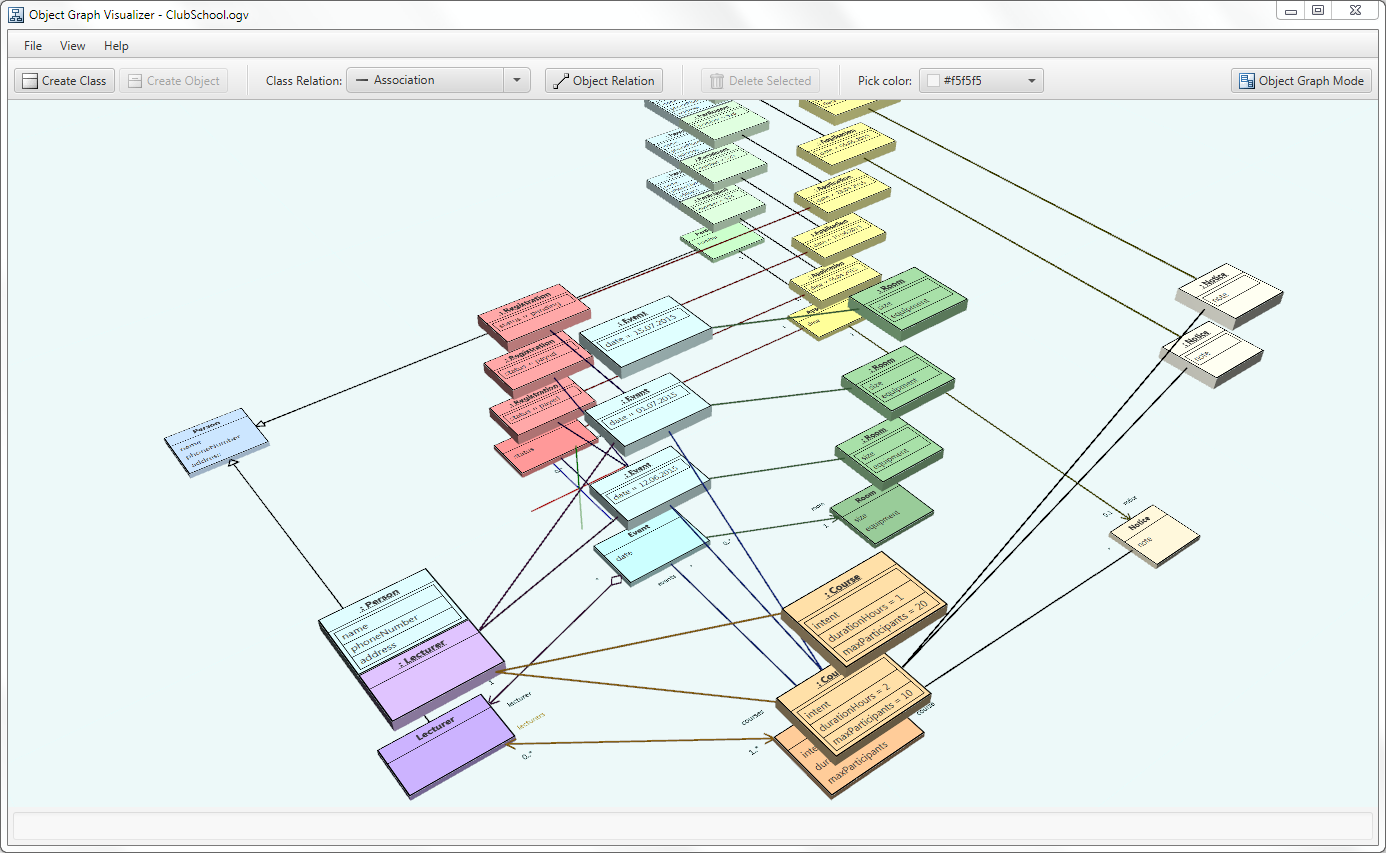
In contrast, the primary mental model in procedural programming is sequential data transformation:
A procedural program is an assembly line that transforms data.
Data is loaded at one end of the assembly line, various stations along the line manipulate the data, and then the transformed data comes out the other end.
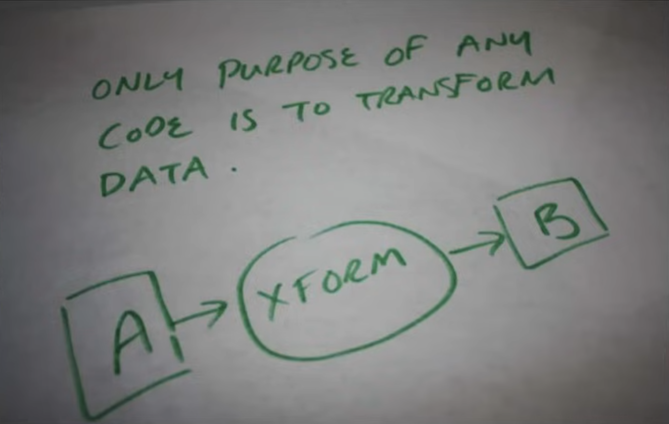
Not everything may seem like a data transformation problem, but if something is computable, it is ultimately just that. In fact, programs can be broadly categorized by the primary kind of data transformation they perform:
- Servers transform network requests into network responses.
- Interactive applications transform the application’s state into new states based on user input events.
- Simulations (such as games) transform the simulation’s states into new states based on user input and clock ticks.
- Processing jobs (such as command line utils and compilers) transform arguments and file data into some result, then save or print the result before terminating.
These four categories cover basically every program ever written (excepting arguably operating systems and embedded systems, which both can be broadly said to transform data into control of physical devices).
In principle then, writing correct programs is just a matter of correctly transforming data! So writing any program should be easy, right? Well, some data transformations are very, very complicated, but this is where the assembly line model pays off:
If the correct data is fed into the assembly line but the wrong thing comes out the other end, you can simply bisect the sequence to figure out where it goes wrong.
This works recursively: if stages A, B, and C produce correct results but stage D does not, you know the problem lies somewhere in D and can bisect the substages of D in the exact same way.
In contrast, a zoo of cooperating objects is not designed to be reasoned about sequentially:
- Objects have responsibilities and relationships which in theory add up to correct programs. If the program fails, perhaps an object is failing to fulfill its responsibilities correctly, or perhaps the responsibilities and relationships need to be redesigned (maybe a method should be added, or maybe a method should be moved to a different object, or maybe whole new objects should be created, etc.).
- How the objects coordinate is not modeled as a sequence: object graphs are deliberately freeform. Sequential flows may be easy to trace in some simpler object graphs, but only incidentally. As graphs accrue more objects, simple code paths typically get scrambled because object-oriented design does not prioritize sequential reasoning.
To be fair, though, while sequential data pipelines are inherently easier to reason about, they are not immune to their own overcomplications. In particular, data pipelines may suffer from:
- Scattered access of mutable state
- Functions that access too much external state
- Unnecessarily complex data
Scattered access of mutable state
Shared state infamously complicates multi-threading, but it also can over-complicate single-threaded code if wrecklessly scattered through the code. Say a piece of data comes out wrong at the end of your data pipline. Where did it go wrong? Well the more substages in the pipeline where the data gets potentailly mutated, the harder you’ll have to look and the harder you’ll typically have to reason about the fix.
If you flip the perspective and think first about data before code, the fewer places in code where a piece of data gets potentailly mutated, generally the much easier it is to understand that data and what purpose it serves. In fact, pervasively mutating a piece of data througout the pipeline sneakily embues it with multiple stealth purposes that shift from stage to stage.
How can this problem be avoided or remedied? Well in ideal cases, you can consolidate mutations of a particular piece of data into just one or a few parts of the pipeline. Often all this takes is just a bit of reordering the logic.
When this isn’t possible, a fallback option in some cases is to create transient copies rather than mutate the original. This isn’t really a simplification, per se, but it can make the code more honest: what before was just called ‘foo’ at all stages of the pipeline even though its purpose changes stage-to-stage, now its role is filled in parts by transient copy ‘foo prime’, which better signals intent to readers. What was presented as one thing in the pipeline is more truthfully presented as multiple related things. Even though you now have another named thing to think about, the explicit distinction still provides better clarity.
Functions that access too much external state
When functions access external state, they are not self-contained and thus can be much harder to reason about.
The correct mindset, then, is to consciously delineate functions based on what categories of external state they access, directly or indirectly. For each function, take stock of whether it:
- reads globals
- writes globals
- reads from I/O devices
- writes to I/O devices
- reads data passed by reference
- writes data passed by reference
Then for each case, examine whether it’s really necessary:
- Does this function really need to read a global? Maybe it can instead be passed a transient copy of the data.
- Does this function really need to write to a file? Maybe the function can write the data to memory and let some later code eventually write it out to a file.
- Does this function really need to mutate the data passed to it by reference? Maybe it can instead return its results as a new, separate value.
Much like the general strategy of consolidating state mutations, the goal is to not eliminate these things but rather concentrate them into fewer points of the pipeline. Full functional purity is a big ask with downsides of its own, but you win a lot just aiming for the next step down:
- Functions should only access data that is explicitly passed to them. I.e., no function should read or write globals.
- Functions should only be passed data that they actually need. I.e., large collections and structs should not be passed when individual items or fields will suffice.
- Core logic should not be mixed with I/O. I.e., functions that do core logic should not do I/O, and functions that do I/O should not do non-trivial logic.
Note
Loggers and allocators are technically stateful, but generally not in ways that can break the logic of your program. Hence they’re OK to access as globals.
Annoyingly, there doesn’t seem to be an established term for functions that may mutate their arguments but which are not otherwise pure. I’d try to coin something, but there aren’t any obvious candidates. “Semi-pure”? “Quasi-pure”? Gemini suggests “transluscent” (as in ‘referentially transparent’). Whatever you want to call it, the idea is simple: just try to minimize the scope of external state accessed by each function.
Unnecessarily complex data
The best data designs are usual simple (if not neccessarily the simplest). When data is more complex than it needs to be:
- The purpose of the data elements become harder to understand.
- The program becomes harder to change.
- State mutation becomes more difficult to consolidate within the pipeline.
To this last point, consider if instances of data type A reference instances of data type B: any access of A then implies access of B, and so consolidating state mutation of B requires also minding access of A. Conversely, if the linkage can be removed, managing and optimizing both A and B independently becomes easier. Sometimes, of course, you need such linkages—but often you don’t!
A key sin of object-oriented thinking is that it encourages you to design your data around your code, and so the data typically ends up with many such unnecessary relationships, fractures, and redundancies. In procedural programming, you have the freedom to question your data design on its own terms before even thinking about code:
- Is this the most minimal, compact encoding of the required information? If not, do we have good reason to denormalize?
- Are these linkages necessary? If so, can the linkages be represented by keys or indexes instead of pointers?
- Does this data need to be stored at all, or can it just be inferred or recomputed as needed?
- Can these hierarchies or graphs be flattened into arrays?
Context confusion
Unfortunately, one more thing prevents the data pipeline model from making all computable problems entirely simple and easy to solve: the context. While a pipeline is the most tractable way to reason about the relationships of all the data and code within the pipeline, there still remains the relationship of the pipeline to the outside world.
As established earlier, servers are basically request-processing pipelines, interactive applications are event-processing piplines, and games are user input- and tick-processing pipelines; in principle then, as long as the core pipelines of these programs transform the program state correctly for every possible request, event, or user input, then the programs will work correctly. However, this is often easier said then done because:
- The pipeline must robustly anticipate all possible sequences of requests, events, and user input.
- Some request, event, or input sequences may require the program to store complex transitory states.
For example, in a user application, when events trigger longer-running async tasks, this may necessitate blocking some but not all user interactions until the task is complete. Or, say, in a game, a scripted sequence that plays out over many frames must often account for many possible player actions and other facets of world state for the duration of the sequence. The logic for these cases cannot be contained within any single run of an application’s pipeline (the event handlers) or a game’s pipeline (the tick update), and so they often require complex state representations and careful thinking.
Exacerbating the difficulty of these cases is the fact that testing and debugging code across multiple events or multiple game ticks is generally much less straightforward than testing or debugging within a single event handler or a single game tick. An ordinary step debugger is not sufficient: debugging such cases properly requires the ability to record and playback events and input. (Sadly this capability is not commonly supported out-of-the-box in widely used application frameworks and game engines.)
A Regex Builder for Go
I hate regular expressions:
- Regex syntax is ugly and often visually hard to parse.
- Regex metacharacters often need escaping in a way that quickly gets confusing and verbose.
- Regex syntax and features annoyingly diverge across different languages and libraries.
- Regex terminology and concepts can be confusing, e.g. “grouping”, “capturing”, and “lookaround”.
One side project that’s been on my backlog forever, then, is a regex builder library. The idea is to trade away the excessive concision of regexes for better clarity while also potentially rethinking some pattern matching concepts.
Oddly, there seem to be hardly any regex builder libraries for Go. The only one I’ve found even in the ballpark of what I’m aiming for is rex, but I find it lacking in a few ways:
- Rex is too interested in closely mirroring the concepts and terminology of regular expressions. I want something that casts off that baggage.
- Patterns should be composable: having defined a pattern, you should be able to use it as an element of another pattern.
Note
Composibility is actually something Ben Visness briefly experimented with in Python, though I think his solution still leans too much on conventional regex syntax.
Anyway, here’s what I’ve come up with: a Go library very unimaginatively called regex-builder.
A few warnings:
- The non-test code is ~1000 SLOC, mostly written by Opus 4.7. (My manual contribution was mainly playing around with API concepts until I hit on something that seemed simple and explicit but not execessively verbose.)
- The API surely is missing some needed features and conveniences.
- The API design tries not to lean too hard on Go-specific features, but a port to some other languages would require some rethinking.
- Performance for many cases currently seems to be about 2-3x slower than the equivalent regexes. I doubt this approach is inherently slower than regexes (at least for patterns that stick to regex functionality), but I’ve not yet attempted to narrow down where the bottlenecks are.
So consider this an idea being thrown over a wall rather than a polished product. That said, I decided to share this because the design already seems promising. I intend to try using this going forward, and hopefully over time that will expose gaps and lead to improvements.
Japanese Vocabulary: Drilling and Acquisition
The goal of drilling
The goal of drilling is to familiarize yourself with words, not to master the words or even attain reliable, conscious recall of the words.
How much time should you spend drilling each day?
Drilling should generally take no more than 20 or 30 minutes per day. Any more time drilling has greatly diminishing effectiveness (due to mental fatigue) and crowds out other forms of language practice that should have higer priority (listening, reading, and speaking).
How much should you drill an individual word?
Because the goal of drilling is merely to familiarize yourself with words rather than master them, you should only drill an individual word several times before removing it from your pool, regardless of how well you have learned the word. (If you later reencounter the word, you may re-add it to your pool if you think it worth the additional effort.)
Which words should you add to your pool?
For the first few months of learning, it makes sense to add words to your pool from lists of the most commonly used words. However, once you’re comfortable with the top 500 or 1000 frequently occuring words, you should avoid drilling words from lists. Instead, you should focus on words that you organically encounter in listening and reading.
Maintaining the word pool at a target size
If your word pool has too few words, then random selection will pick the same words too frequently. If your word pool has too many words, then random selection will not pick an individual word frequently enough. Thus it’s important to maintain the pool at a certain size. How large exactly? Assuming you drill 100 unique words each day, then a pool size of 300 means that each individual word in your pool will be drilled, on average, once every three days, which is about the right pace.
So for individual words to show up in your drills every, say, three or four days, your pool size should be three or four times the number of words that you drill per day. These numbers determine how many words will typically be removed from your pool per day, which then tells you how many words you should add to maintain the pool at the target size. E.g. if 20 words are removed per day, then you should add 20 words per day (unless, of course, you are far above or below the target size for whatever reason, in which case you should adjust accordingly).
Run the numbers
For reference, if you drill 30 minutes a day, spending 10 seconds on each word, that gives you enough time to drill 180 words. If you want individual words to show up in your drills once every 3 days, then you need a pool of 540 words. If each word is removed from your pool after 7 drills, that means that, on average, 25.7 words will be removed from your pool (because 180 / 7 == 25.7), and so you must add 25.7 words each day to maintain a pool of 540 words. (Or another way to calculate it: words will typically remain in your pool for 21 days, so you need to add enough words to replace your full pool every 21 days, and 540 / 21 is also 25.7.)
Because finding words to add is its own burden on top of the actual drilling, it’s important to get this balance right. My personal preference is:
- target drills per word = 7
- target size of pool = 300
- unique words drilled per day = 100
- words added to pool per day = ~14
This means I spend about 15 minutes drilling each day, and as long as I also do enough reading or listening per day, it’s easy to collect sufficient new words without much extra effort. On days where I have extra time or feel extra motivated, I’ll drill the same set of 100 words twice (spaced several hours apart). The second pass tends to go faster, so this is generally less than 10 extra minutes.
Is this a fast or slow way to learn Japanese?
If I’m typically adding and removing 14 words per day, that means I’m covering about 420 words per month and 2880 per year. Over 4 years (the commonly expected amount of time for learning Japanese to a decent level), this adds up to 11,520 words drilled. So is this rate slow or fast?
Well, on the one hand, covering nearly 12,000 words represents a good chunk of any language, especially if you focus on the words that most frequently occur across the whole language and words from the domains that matter most to you (e.g. baseball terminology if you care about baseball). On the other hand, a typical adult native Japanese speaker’s vocabulary is estimated to be around 40,000 words (though the question of what properly constitutes a unique, individual word is messier in Japanese than in English). Also, recall that this drilling process is merely meant to familiarize ourselves with the words, and we’re very unlikely to fully learn most of the words we drill after just several exposures. However:
- Drilling is just a supplement for the essential forms of practice: reading, listening, and speaking. If you devote sufficient time and effort into these activities, you will master many vocabulary and kanji through naturally reoccuring, meaningful encounters, assisted by the base level of familiarity you attain through drilling.
- Vocabulary in every language, including Japanese, is not just a set of independent, arbitrary mappings of sign to signified (though it definitely seems that way in the early stages of learning). As you advance, you will fined that knowledge and mastery of many words help reinforce and unlock other words in the language, thanks to common patterns of word formation and reuse of common elements (e.g. prefixes and suffixes). Effectively, once you have a base vocabulary, it becomes easier to organically acquire an intermediate vocabulary, which in turn helps you organically acquire an advanced vocabulary.
So yes, acquiring just a loose familiarity with fewer than 12,000 words over 4 years would not be a great end result. In practice, though, drilling can help you achieve far more than this as long as you use drilling as just a supplement to the core forms of language practice.
The drilling process
Once a set of words is randomly selected from the pool for a drill session, the drilling process proceeds in rounds:
- For the first round, randomly select ~10 to ~20 words from the set.
- For each word, say the answer aloud or internally, then check the answer. If your answer was right, you remove the word from the set. If your answer was wrong, you include the word in the next round.
- Each subsequent round, include the wrong-answered words from the prior round and then randomly select more words from the remaining set to fill out the round (up to a max of ~10 to ~20).
- The drilling ends when all words have been removed from the set.
Once a word is correctly answered and removed from the set, the word’s lifetime drill count should be incremented, and if the word hits the max drill count target, it should be removed from the word pool.
Note
It’s fine and arguably beneficial if each round sorts all of the wrong-answered words to the front of the list: this allows you to focus a bit more on the words giving you trouble before dealing with the words that are new that round. Also note that the size of each round effects how frequently the wrong-answered words reoccur in between new words: the fewer words per round, the smaller the ratio of new words relative to wrong-answered words carried over from the prior round, and thus you might be less distracted by new words in between repetitions of the wrong-answered words.
Japanese Language Acquisition: The Writing System
Why is the Japanese writing system difficult to learn?
The first problem, of course, is that Japanese uses a very large number of characters:
- hiragana, a set of phonetic characters consisting of about 50-100 characters (depending on what you count as distinct characters)
- katakana, a correponding set of phonetic characters, used mainly for foreign words and a few other niche purposes
- kanji, the ideographic characters adapted from Chinese, of which there are about 6000 total in modern Japanese, though native speakers typically only know about half
The second problem is that, unlike in Mandarin, Cantonese, and the other Chinese languages, most of the Japanese kanji have multiple pronunciations. Which pronunciations are used in which words mostly just has to be memorized per word.
Third, many words have alternate spellings with different mixes of kana and kanji or different kanji entirely. In particular, many of the most common verbs can be spelt with two or three different kanji.
Fourth, Japanese does not put spaces between its words, so just distinguishing where one word ends and the next begins is its own challenge. Ultimately, discerning individual words in Japanese text relies upon solid knowledge of the written vocabulary and an internalized feel for the grammar and language patterns.
In some cases, the lack of spaces can create ambiguities. For example, 今日本 could be read as the two words 今 (now) and 日本 (Japan), but it could also be read as the two words 今日 (today) and 本 (book). Which is the intended reading can only be discerned from context.
Fifth, certain details of pronunciations are not indicated in the text, including “pitch accent” (which is somewhat analogous to “stress accent” in English) and blending (e.g. whether to ellide the “u” in “su”, as is done in some words). So like English, Japanese writing doesn’t tell the reader exactly how to pronounce the words. Instead, the reader just has to already know the words.
Do I really need to read Japanese?
If your primary interest in Japanese is speaking, you might question whether learning to read Japanese is strictly essential at all, or whether learning to read can’t wait until after acquiring the spoken language.
Even if you don’t care about reading for its own sake, never learning to read is a bad idea because reading is a key vector for acquiring many, many vocabulary words that otherwise don’t come up in most day-to-day speech. In a modern literate society, a large chunk of vocabulary is only acquired and maintainted through reading. Although listening and speaking practice can make you conversationally functional in the language, without reading, you’ll probably lack the vocabulary for many conversations and situations.
As for waiting to learn to read until after learning the spoken language, this too is usually a bad idea because reading is an extremely useful tool while learning a language. Unlike spoken language, written language allows you to go at your own pace and scan back and forth through the words. Most importantly, it’s much easier and more convenient to look up unknown written words than it is to look up unknown spoken words.
Downsides and limitations of reading
As valuable as reading can be, reading alone is not sufficient for learning a language:
- Text lacks the inflectional and emotive cues of speech. Such cues are not only important parts of communication, they can serve as training wheels that greatly assist in comprehension.
- Proper pronunciation is only fully conveyed through speech. Too much reading without listening might instil bad pronunciation habits.
- The human language faculty is wired for listening, not reading. Unlike listening, reading is in a sense an “unnatural” mental activity that requires special practice and incurs significant mental overhead.
- The natural language processing that occurs when listening is sequential and keeps moving, unlike reading, which can be processed out of order and at your own pace. On the upside, even slow and hesitant reading is a good way to engage with vocabulary, but such kind of reading doesn’t necessarily properly engage and exercise your natural language faculty. So until you can read with reasonable fluency, you’ll need to focus on listening practice to develop your core comprehension skills.
- According to the best research, fluent reading is mapped in the brain through phonemes, meaning it relies upon triggering phonetic memories of words. Surprisingly, this applies even in Japanese even though its writing is not fully phonetic. The implication is that you will not be able to fluently read until you already have advanced listening skills. Until then, your reading will remain halting and labored no matter how well you know the characters.
Do I really need to write Japanese by hand?
In theory, writing kana and kanji by hand can help you memorize the characters, but how much this actually helps is questionable, and handwriting practice is extremely slow and tedious. Besides, most people today rarely write their own native language by hand, so learning to write Japanese by hand is probably not worth the effort unless you have a great interest in calligraphy.
What about stylized text?
Being able to recognize kana and kanji in calligraphy and other stylized forms is a skill that requires its own practice, but until you reach the stage where you can fludily consume native content, trying to read calligraphy will just slow you down.
Likewise, reading vertical text can induce mental overhead, so it’s best avoided while you’re still in beginner and intermediate stages.
How should I learn kana?
Rather than rely upon the crutch of romaji, you’re best off learning kana from the start. In just a few weeks, you should be able to have the kana mostly memorized through drilling (see here and here). However, it’s normal to confuse certain less-commonly used and similar looking characters with each other for a long time after, even for multiple years. For example, learners may take years before they can fluently read the katakana characters フ, ブ, プ, ラ, ワ, and ウ without sometimes having to consciously remind themselves which is which.
Once you have the kana reasonably well memorized, you should practice reading whole words, starting first with very short words and working your way up to longer ones.
Note that katakana often gives learners considerable more trouble than hiragana, for a few reasons:
- Katakana is used less frequently than hiragana, so you naturally get less practice.
- Several pairs and groups of katakana characters are hard to distinguish because they look very similar.
- The Western-derived words spelt in katakana on average have more syllables (and therefore more characters) than the native Japanese or Chinese-derived words spelt in hiragana.
- The Western-derived words spelt in katakana often contain sequences of sounds that occur infrequently or not at all in native Japanese or Chinese-derived words.
- The sounds of English-derived words are often distorted in surprising, inconsistent ways, making them strangely difficult for English speakers to say and read. For example “McDonald’s” is three syllables in English, but adapted into Japanese, it has six syllables and extra vowels: マクドナルド (MA-KU-DO-NA-RU-DO)
So you’ll likely find that your katakana reading lags behind your hiragana reading for a long time. To address this, you might want to put special effort into katakana word drills. On the other hand, once you reach the tipping point where you can read native content, you’ll get plenty more practice with katakana anyway, so maybe special practice isn’t really needed.
How should I learn kanji?
There are tens of thousands of kanji that have been used throughout Japanese history, but only ~6000 kanji are used in modern Japanese with any frequency, and most native Japanese do not know all of these 6000. A typical educated native speaker can reliably read perhaps 3000-4000 kanji in the context of words and names, but the number of kanji they can recognize and define as isolated characters is somewhat smaller, and the number of kanji they can write by hand from memory is even smaller (say, perhaps, 2500 on the high end).
The most frequently used 1500-2000 kanji account for 99%+ of the kanji characters in typical modern Japanese writing. An additional 1000-1500 kanji cover most of the remaining 1%.
From personal experience, I can say that attempting to memorize all of the kanji up front through drills is a terrible idea. At most, you should learn your first 200 or 300 kanji through drills, but thereafter you should simply focus on the kanji that come up in your reading and listening material.
Understand that reading a word does not require fully ‘knowing’ its kanji! In practice, most words spelt with kanji are recognized as a whole, not by their individual kanji. So instead of trying to memorize individual kanji on their own, you should focus on learning kanji in the context of the words you learn. When looking up a word, note the relevant meanings and pronunciations of the individual kanji, but otherwise don’t study or drill the kanji on their own.
Kanji in Japanese names are particularly troublesome:
- Many kanji have “nanori” readings, pronunciations that are only used in Japanese names.
- The jinmeiyou kanji are several hundred kanji that are used only in Japanese names, not in vocabulary words.
- Many Japanese names have multiple different kanji spellings.
- Even native Japanese speakers don’t know all kanji spellings of Japanese names, and they often don’t know how to spell a name from the pronunciation or how to pronounce a name from the kanji spelling.
So attempting to brute force memorize the kanji spellings of Japanese names is particularly foolish. Instead, you should simply deal with individual names as they come up in your reading. Eventually, through extensive reading, you will learn many of the more common names and spellings.
Summarized advice
- Drill hiragana and katakana to learn the characters, but keep in mind that fluid reading of kana will only develop through reading lots of real words and sentences.
- Don’t drill kanji: instead, absorb kanji from words.
- Don’t worry much about memorizing kanji spellings of Japanese names. Note them when they come up, but don’t feel bad about instantly forgetting them.
- Stick to plain, horizontal, non-caligraphy text. The ability to read fancy text can be much more easily acquired once you can already fluidly read plain text.
- Don’t expect to be able to read Japanese fluidly until you have a quite large vocabulary and advanced listening comprehension skills.
Learning Japanese through input
There are two key milestones on the path to acquiring a second language:
- Comprehension: you are able to consume interesting content (text, audio, video, etc.) in the language with a reasonable degree of understanding and fluidity.
- Speaking: you have sufficient listening skills and vocabulary to attempt non-trivial spoken communication.
The speaking miletone comes second because speaking rests upon a foundation of listening comprehension.
How long it takes to reach these milestones depends upon the distance between your own language and the target language. For a Spanish speaker learning Italian or vice versa, this might be as short as a few months. For an English speaker learning Japanese or vice versa, this usually takes multiple years.
NOTE: For the special case of living in country with daily immersion, you can reach basic functional spoken Japanese in several months, but there will be large holes in your skills, especially with the written language. In any case, this pathway is not really relevant to the discussion because it’s an unrealistic life circumstance for the vast majority of learners.
Once you reach these two milestones, the path forward is clear: consume tons of content and do lots of speaking practice. The hard question, though, is how to reach these milestones in the first place, especially for languages like Japanese that take a long time to acquire.
How to reach the critical milestones
I have two key prescriptions about consuming audio, video, and text content:
- Consume content from a mix of levels. Ideally, you could just consume material that is strictly ‘at your level’ sprinkled with a non-obtrusive handful of new words, kanji, and grammatical patterns. Unfortunately, this is impracticable, so instead you should deliberately embrace mixing in both content that is comfortably within your level and content that is significantly above your level.
- Consume content both extensively and intensively. “Extensive” here means that you focus on the content rather than the language, while “intensive” means that you focus on the language rather than the content. For content to be consumed extensively, you must understand enough of it to stay engaged with the content. Consuming content intensively, on the other hand, is generally appropriate for content above your level: you either scan the content for bits and pieces that you can understand while ignoring the rest, or you use dictionaries, grammar analysis, and AI translation to try understanding every word, phrase, clause, and sentence.
Levels of input content
For different levels of content, you should have different expectations of how much you understand: for some content that’s well within your level, maybe you can understand 100%, but for content above your level, maybe you can only understand 70%, 40%, or even just 10%. Getting a mix of content across the spectrum has great value as long as you get the right mix:
- Concentrating on content you can’t understand is mentally taxing and frustrating, so you generally should only do so for 10-15 minutes a day. On the upside, this practice gives you broad exposure to new language and the sounds of native-level speaking, even if most of it passes you by.
- Content that you understand easily helps reinforce what you already know and develops the fluidity with which you can process it.
- Most of your input practice time, though, should focus on content in which you can understand most of the full sentences (though with concentrated effort and perhaps without understanding all the nuance). This is the core practice that expands your ability to understand complete sentences.
Sources of content
Podcasts and Youtube videos
When listening to podcasts or watching videos, it’s a different form of practice if you read along with Japanese subtitles or a transcript. Both forms of practice are valuable, so I do my pure listening to podcasts at the gym, but at home I mostly watch Youtube videos and read along with the subtitles.
Note
Keep in mind that fluent reading relies upon engaging the listening comprehension pathways in your brain. This implies:
- Your reading fluency cannot exceed your listening comprehension.
- When listening to something you struggle to understand, reading along with a transcript is an unnatural act.
So it’s critical to practice pure listening without text because the mental overhead of reading will distract your focus from the spoken language. Without listening-only practice, your listening comprehension development may be hindered or even stalled.
Some notable sources:
- Comprehensible Japanese
- Nihongo Picnic (free transcripts)
- Japanese with Shun
- Sakura Tips (free transcripts)
- Japanese with Noriko (free transcripts for seasons 1 and 2)
- Sakura Podcast
- Yuyu no nihongo
- Bitesize Japanese Podcast
- Haru’s Japanese Cafe
- Japanese Language Community
- Nihongo Con Teppei
TV and movies
In theory, TV shows and movies are a very appealing way to learn a language, but in practice, most TV and movies are inhospitable for beginner and intermediate learners due to several factors:
- Use of expansive vocabulary
- Use of advanced grammar
- Use of slang and colloquial speech
- Accents and speech quirks
- Archaic and formal speech
- Shouting, whispering, murmuring, mumbling
- Crosstalk
- Loud music and sound effects over dialogue
Watching with subtitles isn’t really a solution:
- Japanese subtitles are often not available
- An N3 or below learner wouldn’t know enough words or kanji for the subtitles to help much
- Concentrating on Japanese audio while reading English subtitles is very difficult, even if you’ve already mastered both languages. Furthermore, to the extent that parts of a Japanese and English sentence correspond, they tend to do so in reverse order, so for longer sentences, the part of the English translation currently displayed on screen will often not match what is currently being said in the Japanese audio. On top of this, translators often take large liberties, such that the English subtitltes do not accurately convey the original meaning or the way in which the original meaning was expressed.
Sadly then, learners at or below the N3 level generally can’t get much language value from just watching TV and movies.
Reading content
The most obvious, readily available source of Japanese reading material is the light novel collection syosetu, but the large majority of the material there is too difficult for learners at N3-level or below.
The NHK Easy Web news, in contrast, is tractable even for N4 level learners (though getting through each short article will likely take an N4-learner some time and effort).
Some of the podcasts targeting N5-N3 learners provide transcripts, which also makes for good starter reading material. For example, Japanese with Noriko (free transcripts for seasons 1 and 2 only).
Otherwise, the best source these days for reading material is to make your own with AI, either by:
- translating English content into simplified Japanese
- or translating Japanese content into simplified Japanese and English
Another trick is to have AI produce abridged translations or short summaries of things you read in English. Whereas reading a complete Japanese translation would be daunting and time consuming, a short, simple summary is much more approchable.
Using AI to produce simplified Japanese helps a great deal because it allows you to select content based on your personal interests rather than difficulty level, and if necessary, you can read the original English or English translation to get the full context, but then you can cover the same ground with the simplified Japanese. In particular, it becomes much easier to understand and stay engaged with a Japanese text when you have the context loaded in your brain having just read the English equivalent: your memory of the content will often fill in the gaps of understanding without having to stop and look up words or translate sentences.
Note
When you ask an AI to simplify Japanese, it’s most effective to specify either N3 or N4 level, and you should also specify that longer sentences should be broken up into shorter sentences. Because not all material can be expressed using just N3 or N4 vocabulary, the simplified Japanese will often still contain a number of other words, but generally many fewer than the original native-level text.
Note
AI translation quality now reliably produces grammatically valid English and Japanese, though it may not always preserve stylistic nuances or capture subtext. For the purposes of an N3 or below learner, this shouldn’t matter: the learner just needs grammatically correct, simple, short Japanese sentences.
Note
Given the difficulty of the Japanese writing system, even simplified translations may be a slog to read and so require a real time investment. I find, though, that after strugggling through a text the first time, re-reading it shortly thereafter is particlarly effective and goes much faster, and this is when unfamiliar words spelt with kanji start to click.
Tutors
Language tutors, of course, provide critical speaking practice, but having someone speak directly to you also provides the most effective form of input. Because a tutor can pick up signals of your incomprehension, they can respond and adjust by:
- repeating what they said
- slowing down
- rephrasing
- elaborating
- explaining
- answer questioning
…all of which naturally triggers repetition and reinforces the ideas being communicated in a quick, responsive loop. The sum effect is that a real, speaking person can keep you engaged with the meaning behind the words better than any recording or piece of text.
AI
AI translation
AI translation is obviously useful to help you understand any incomprehensible text or figure out how to express something. Less obviously, AI translation can be used to produce reading content aimed at your level: instead of trying to find Japanese material that’s suitably easy, you can ask AI to translate English material into easy Japanese. The result won’t always be the most natural or elegant Japanese, but it will virtually always be grammatically valid and thus sufficiently useful for a learner at or below JLPT N2 or N3.
AI grammar analysis
AI is also remarkably good at explaining the grammar in specific sentences. Purists might complain that the information it provides is unreliable, but I find the recent AIs’ hit rates actually much higher than the vast majority of sources about grammar. Best of all, you can ask them clarifying follow-up questions, such as, ‘How would the meaning change if you modified this phrase or removed this word?’
AI translation exercises
Another simple way to practice with AI is to prompt it to play a translation game: the bot gives you Enlgish sentences to translate into Japanese (or vice versa) and then critiques your answers.
Note
Frustratingly, the smarter chatbots can be disappointingly uncreative, so you may need to specially coax them to keep the sentences interesting. One technique is to separately generate a list of topics and model sentences, then direct the bot to construct new sentences based on topics and model sentences randomly selected from the lists.
Summary of advice
- Limit vocabulary drills to words you have recently encountered in listening and reading, and limit lifetime drills of any individual word to 10-20 repetitions.
- If you repeat a piece of content, do so no more than a handful of times, even if you don’t fully “master” it by the last repetition.
- For a long time, you wont understand most of what you encounter, and that which you do understand will often require conscious effort. “Natural”, automatic understanding comes only with massive consumption of the language, and still only then slowly and in pieces.
- As long as the language itself distracts you from focusing on the content of what you read and hear, your input consumption will be intensive rather than extensive. This is not a matter of learning style or choice: the beginner simply cannot understand what they read or hear without looking up many words and consciously pondering how the words fit together, a slow process which consumes much mental energy and greatly limits how much language content can be encountered per day.
- Comfort with a particular topic and style of content doesn’t necessarily translate to comfort with other topics or styles. This can make it seem like your comprehension level has suddenly regressed when you’ve actually just stumbled out of your zone.
- Accept that it will typically require many exposures before a word or kanji is fully memorized. Instead of consciously trying to force memorization, you should lean heavily on tools that make it quick and easy to look up words and kanji. Depend upon reminders, not memorization.
- A single aspect of a language cannot be truly mastered in isolation, and attempting to do so is generally inefficient. Don’t try to master one aspect or ‘level’ of the language before moving on.
Misc
Less notable things that didn’t fit elsewhere: